Reviewing Change Package
Navigation:
Select
Select the Change Package.
You can also select the Review Package Definition link on the Define Change Package Step 6 of 6 page.
This example illustrates the fields and controls on the Review Change Package (top of page). You can find definitions for the fields and controls later on this page.
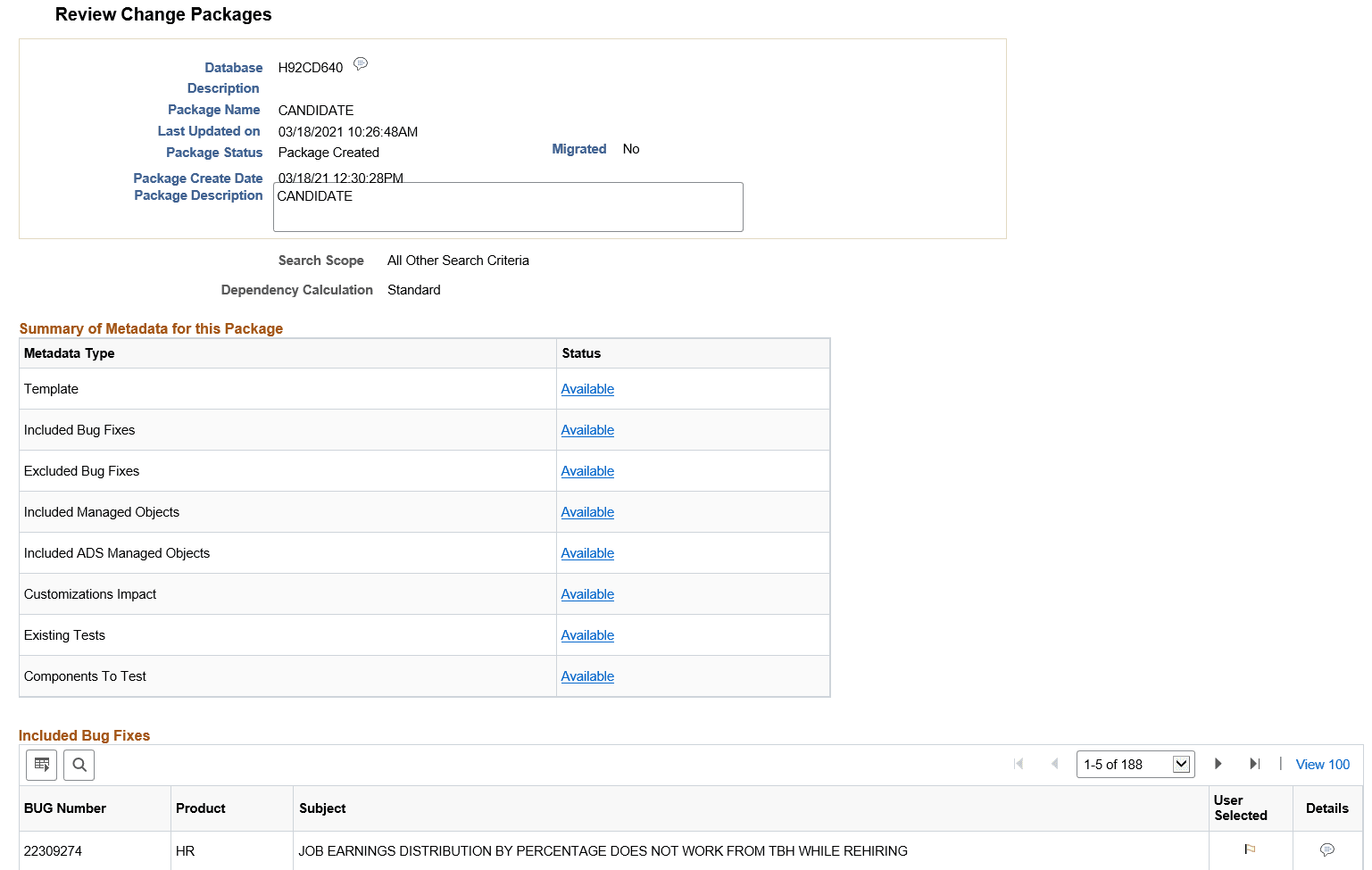
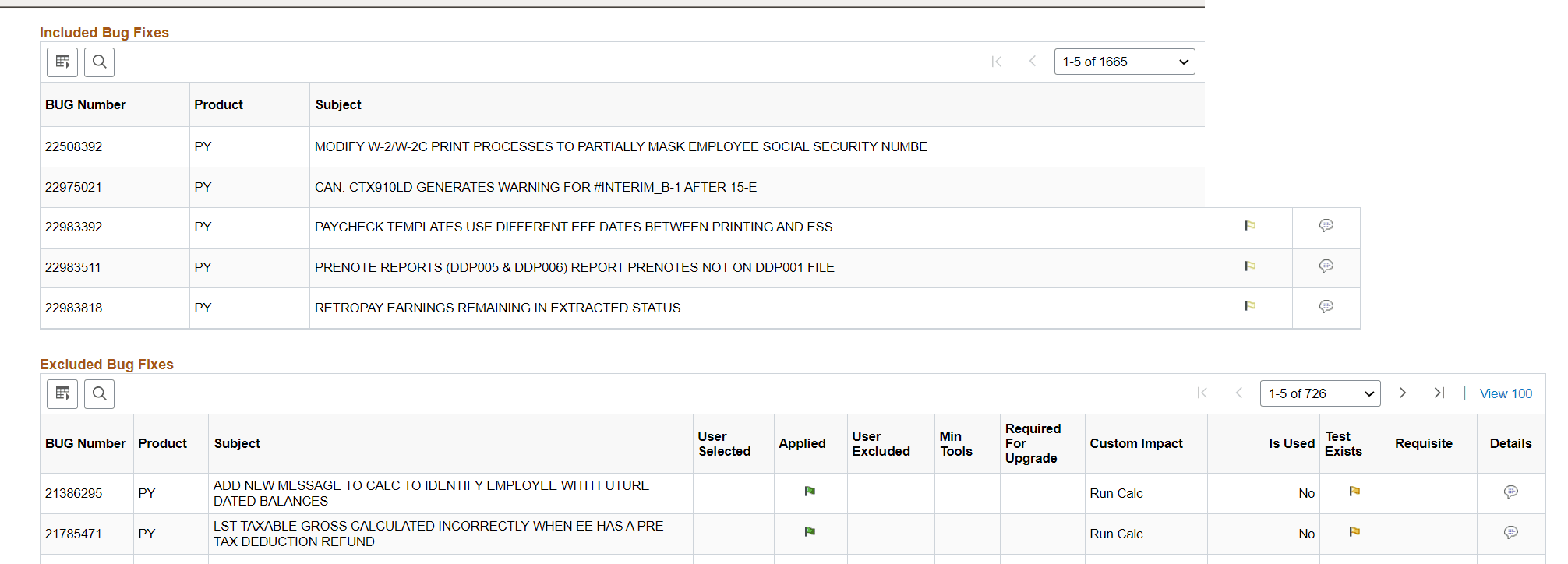
This example illustrates the fields and controls on the Review Change Package – Included Bug Fixes and Excluded Bug Fixes. You can find definitions for the fields and controls later on this page.
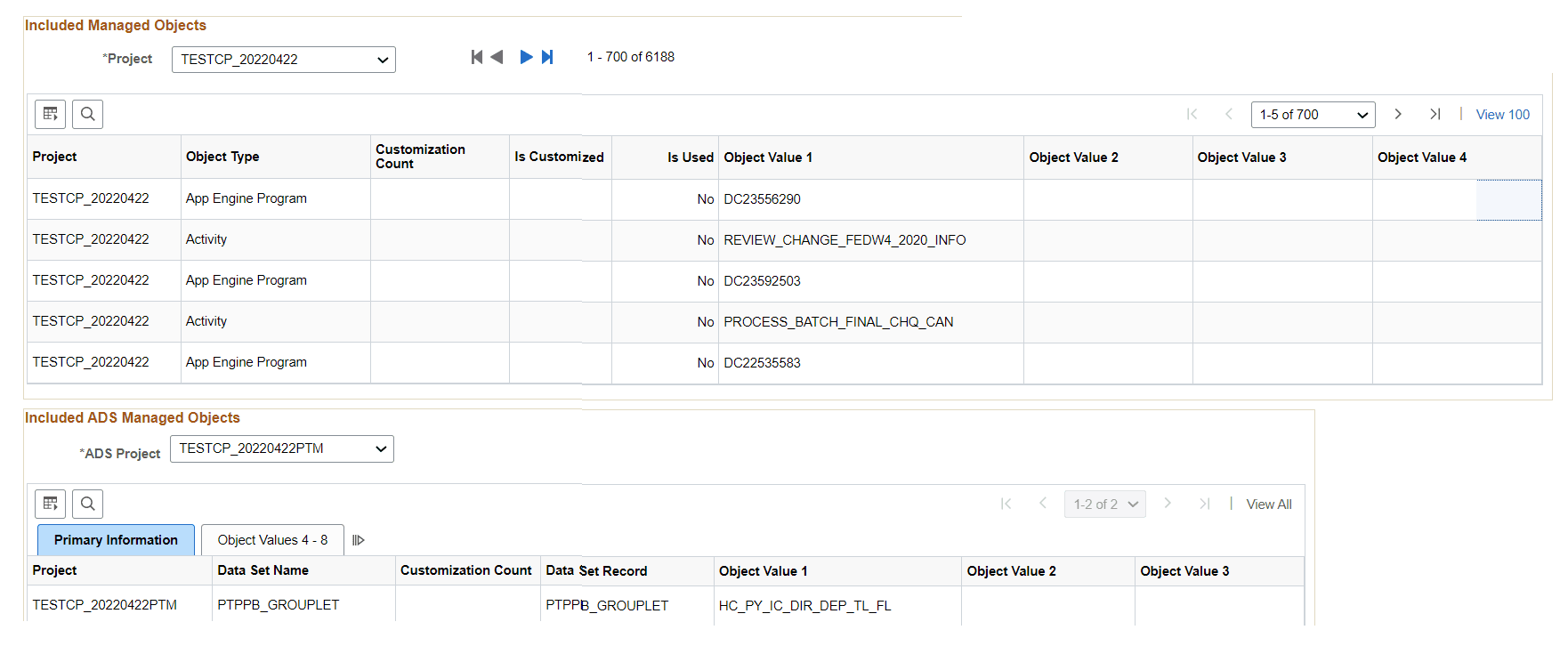
This example illustrates the fields and controls on the Review Change Package – Included Managed Objects and Included ADS Managed Objects. You can find definitions for the fields and controls later on this page.
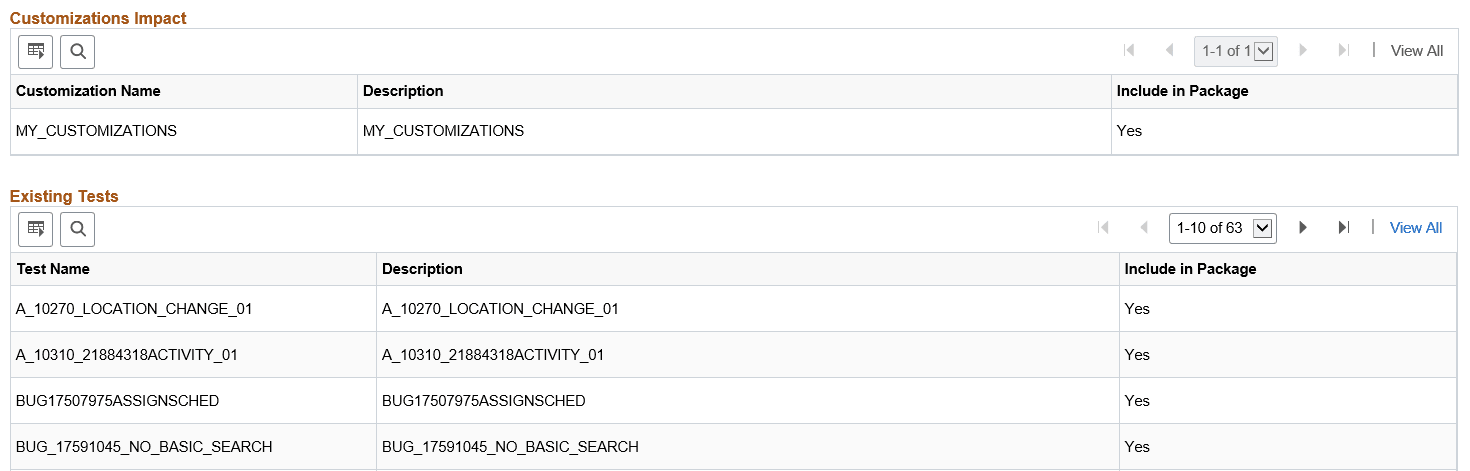
This example illustrates the fields and controls on the Review Change Package – Customizations Impact and Existing Tests. You can find definitions for the fields and controls later on this page.
The Review Change Package page is displayed only to provide information on the change package.
Incomplete packages will not display all of the fields.
| Field or Control | Description |
|---|---|
|
Package Status |
Indicates the current status of the package.
|
|
Search Scope |
Indicates the scope used to create the change package. Depending on the scope selected, additional information is displayed. |
|
Dependency Calculation |
Indicates which type of dependency calculation used to create the change package (Standard or PostReq's Included). |
|
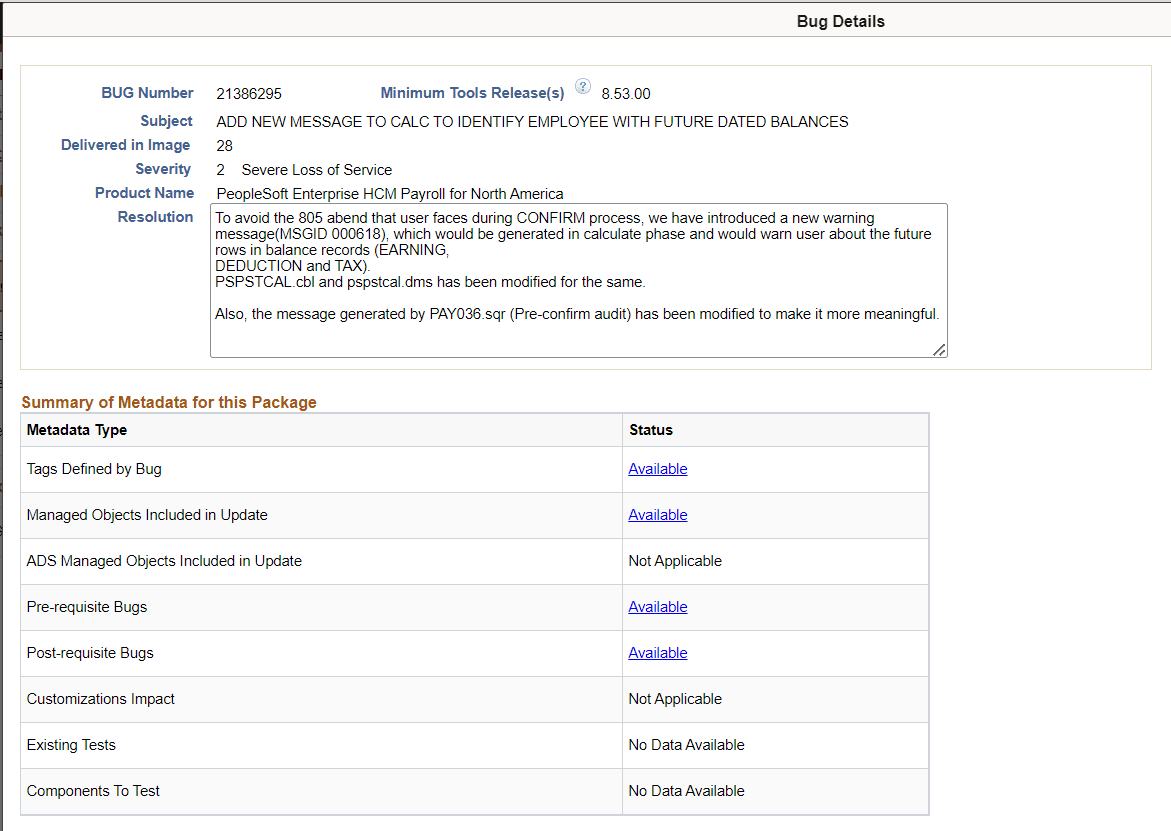
Summary of Metadata for this Package |
For each metadata type, if there is metadata, a link Available is displayed. Use this link to go to that section of the page. If the metadata type is not contained in the package, the metadata type will indicate Not Applicable. Bugs delivered through a PRP will have no data on components to test, therefore Components to Test will indicate No Data. |
|
Template |
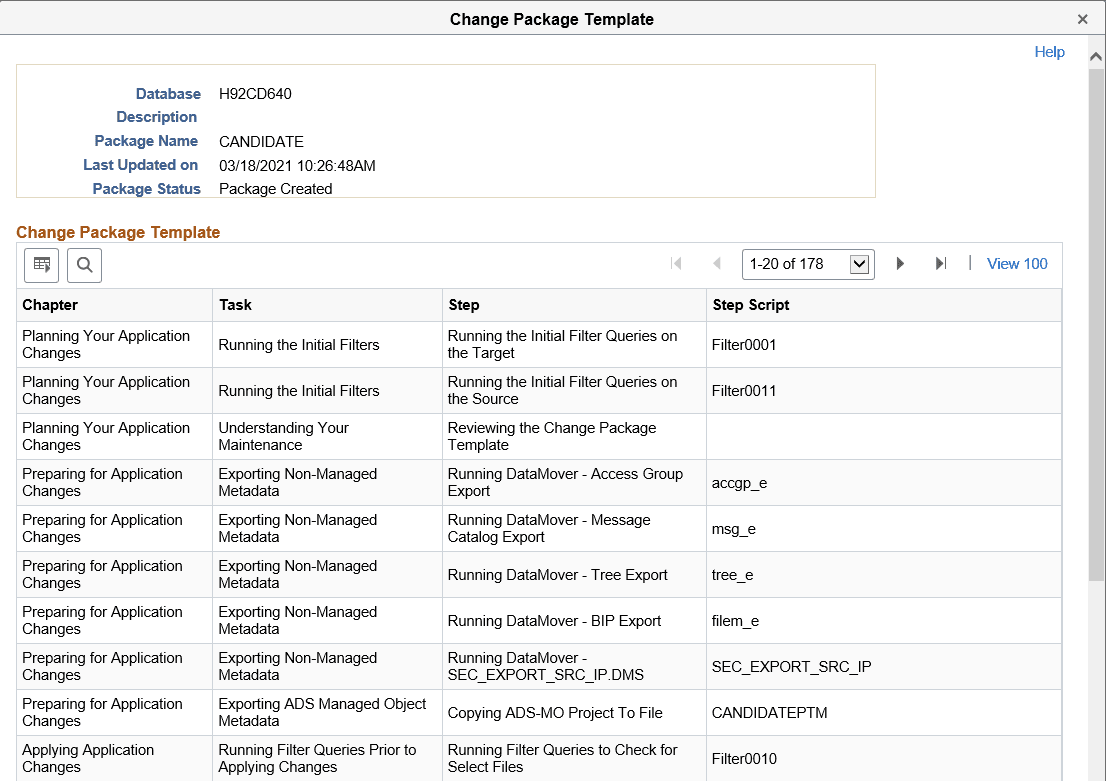
For change packages that are complete, use this link to view the steps in the change package template. |
|
Included Bugs |
For change packages that are complete, you see a grid displaying the bug in the change package, with a flag indicating the selected bugs. Use the detail icon to view bug details. |
|
Excluded Bugs |
For change packages that are complete, you see a grid displaying the list of excluded bugs in the change package. The Is Used field indicates interaction of objects, which are part of excluded bugs, with Usage Repository data. It can have Yes or No value. |
|
Included Managed Objects |
For change packages that are complete, you see a grid listing the Managed Objects included in this package. The Is Used field indicates whether the object is referenced in Usage Repository. The values are:
The Is Customized field is used to show if the object is part of the customization or not. This field can have the following values:
|
|
Included ADS Managed Objects |
For change packages that are complete, you see a grid listing the ADS Managed Objects included in this package. |
|
Customization Impact |
Lists the impacted customization names. |
|
Existing Tests |
Lists the existing test names that cover objects delivered in this package. |
|
Components To Test |
Lists the components to test for this package. |
Bug Details
Click the Details button on the Included Bug Fixes and Excluded Bug Fixes grid to access the Bug Details page.
The Bug Details page details the bug-specific Change Package information.
Template
Click Template link on the Review Change Packages page to open the Change Package Template window listing the chapters, tasks, steps, and step scripts in the change package template.
This example illustrates the fields and controls on the Change Package Template page.