Upgrading Application
Before using the Upgrade Application task, the following must have been completed:
-
Define Upgrade Package
-
Configure Change Assistant Settings.
To use the Upgrade Application
-
In Change Assistant, select Tools, Upgrade Application.
Note:
You must be in the Update Manager action.
-
The Change Package Wizard will guide you through the creating the upgrade job.
-
On the Change Package Settings page, select the download directory and apply type and click Next.
-
On the Select Upgrade Target Database page , select the target database and click Next.
-
On the Select Upgrade Source Database page, select the source database and click Next.
-
On the Application Upgrade page, select the packages to apply and click Next.
-
Change Assistant will check the compatibility and display the status. Review the checks and click Next.
-
The Apply Summary page is displayed. Click Finish.
-
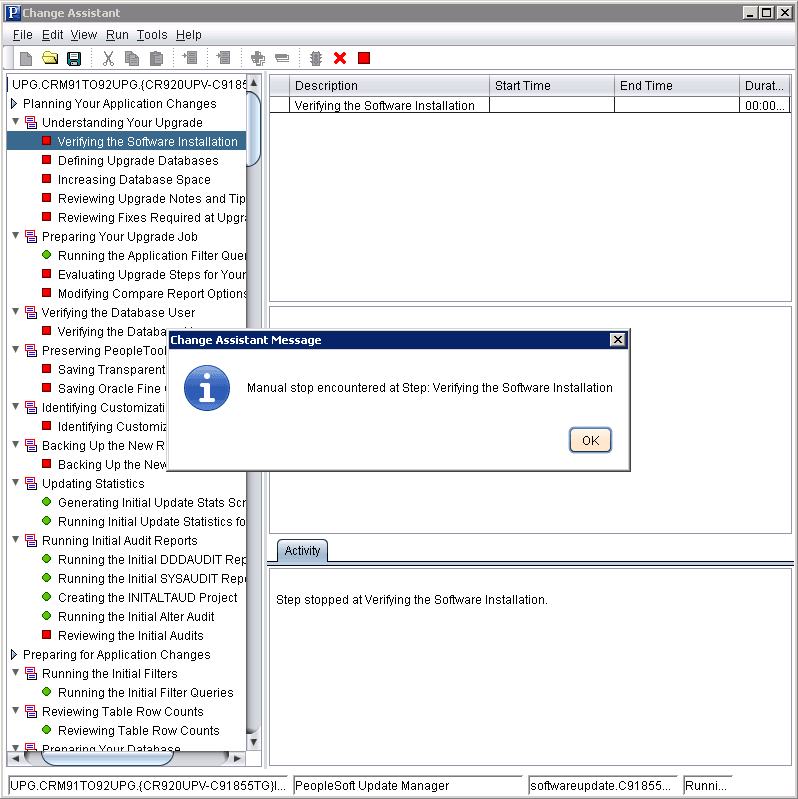
Change Assistant will create the Application Upgrade job and open it.
This example illustrates the fields and controls on the Application Upgrade Job.