Viewing Maintenance Levels of Target Environment
From PeopleTools 8.61, you can know how current is your target database. The PUM source calculates the highest Image maintenance number where 90% or more of the delivered fixes up to that Image number are applied to the target database.
The calculation of the highest Image maintenance number is:
-
relative to all delivered fixes applied.
-
relative to all delivered fixes applied for installed products only.
-
relative to all delivered regulatory fixes applied for installed products only (if applicable).
-
based on the most recent Image of any applied fix.
There are two options to view this information.
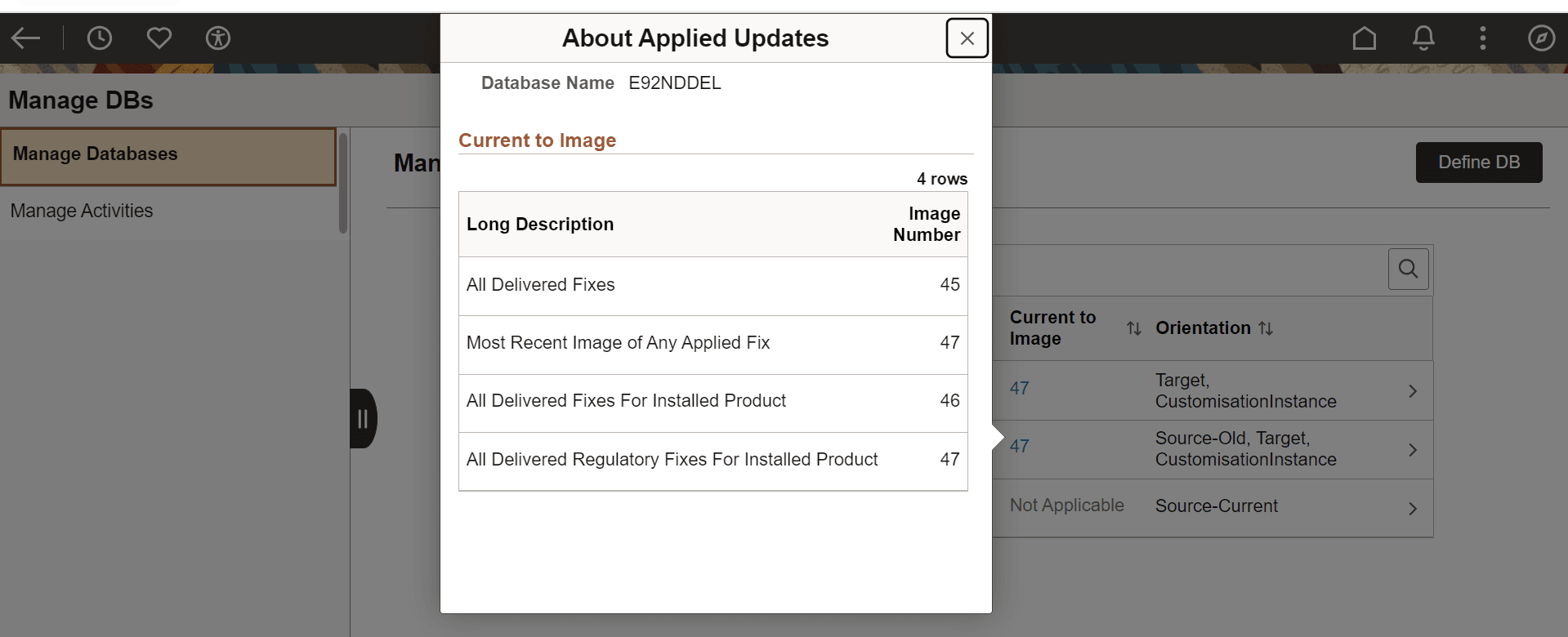
First, On the Manage DBs page, click the Current to Image link to view the About Applied Updates page.
The About Applied Updates page provides a quick view of the details.
This example illustrates the fields and controls on the About Applied Updates page.
In this example,
-
All Delivered Fixes- 90% or more of all the delivered maintenance that are applied are up to Image 45.
-
Most Recent Image of Any Applied Fix- the highest Image number among all the fixes applied to the target database is Image 47.
-
All Delivered Fixes For Installed Product- 90% or more of the delivered fixes applied for the Installed products in the Target database is up to Image 46.
-
All Delivered Regulatory Fixes For Installed Product- 90% or more of the delivered regulatory fixes applied for the Installed products in the Target database is up to Image 47.
Second, on the Manage DBs page, click the database with orientation Target to view the Define Database page. The Define Database page opens to display the Current to Image section and other details as well.
The Current to Image section lets you know how current is your Target database.
This example illustrates the fields and controls on the Define Database- Current to Image section.
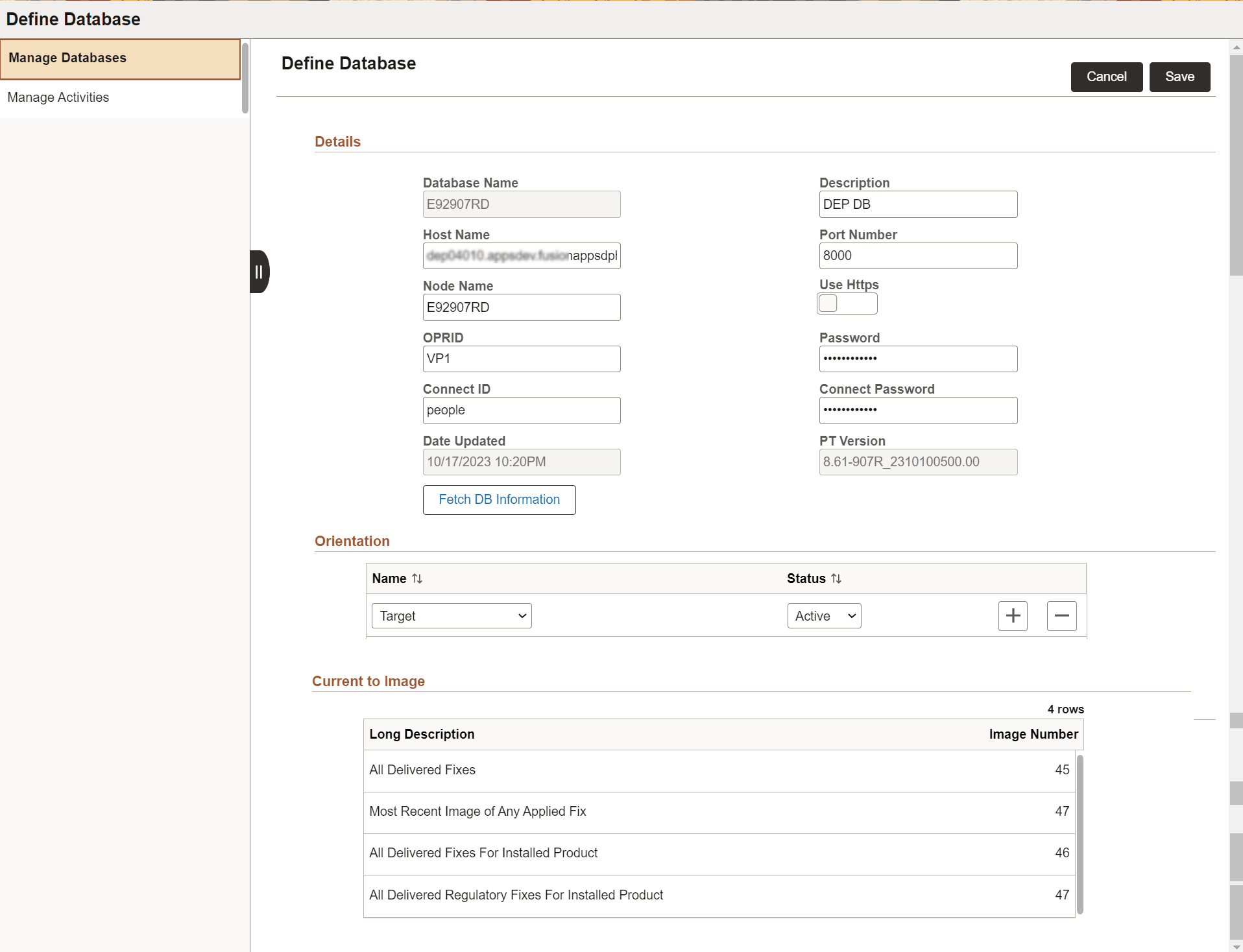
If the maintenance data is not uploaded from Target database to PUM source, then the Current to Image section displays the following message:
Upload Maintenance Log to view information. You can use Retrieve Target DB Information activity.