Running Reports
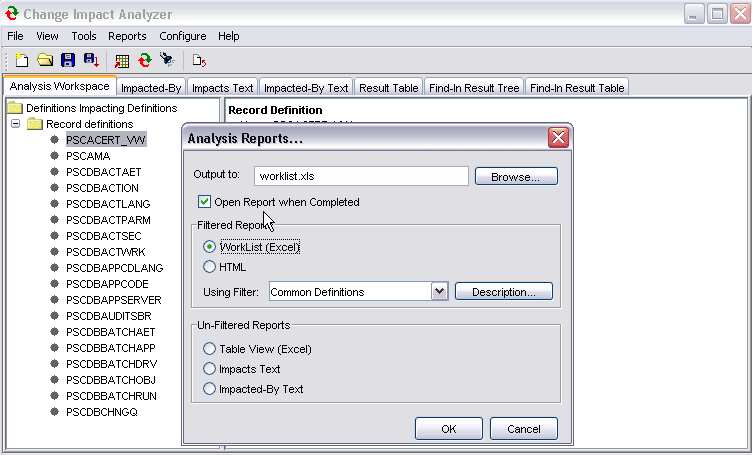
To produce a report of the analysis, select Reports, Analysis Reports from the Change Impact Analyzer toolbar. The Analysis Reports dialog opens:
This example illustrates the fields and controls on the Analysis Reports dialog. You can find definitions for the fields and controls later on this page.
| Field or Control | Description |
|---|---|
|
Output to: |
Specify the file to which you want your analysis results written. |
|
Open Report when Complete |
Select to have the report file open automatically. |
|
Filtered Reports |
Select Excel worklist or HTML format and the filter for the generated report. The filters are saved in the outputfilters.xml file. |
|
Unfiltered Reports |
Select the unfiltered report option. |
Click OK.