Creating User-Defined Methods
This section discusses how to create user-define methods.
This example shows the work area in PeopleSoft Application Designer for creating user-defined methods.
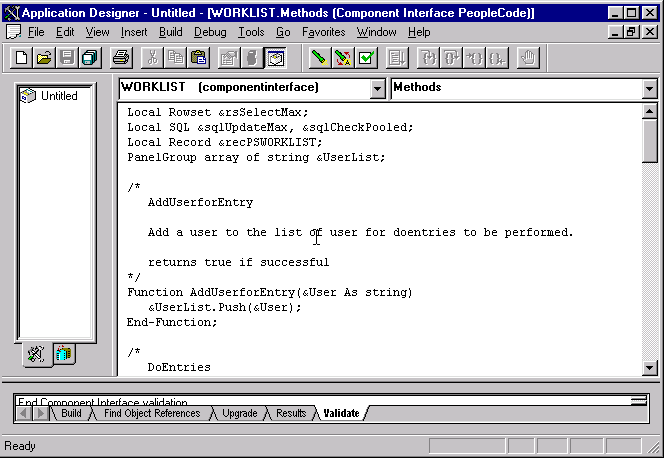
To create a user-defined method:
-
Right-click anywhere in the component interface view.
-
Select View PeopleCode from the menu.
The PeopleCode editor appears. If you are using a new component interface, no PeopleCode will appear in the editor because no user-defined methods have been created.
-
Write the required PeopleCode functions.
PeopleCode functions that you write are stored in a single PeopleCode program that is attached to the component interface and associated with the Methods event.
Note:
New user-defined methods do not appear in the list of methods until you save the component interface. Double-click the icon of any existing user-defined method to return to this PeopleCode program.
-
Set permissions for the methods that you created.
You must set permissions for every user-defined method. If you set permission to Full Access, at runtime that function is exposed to external systems as a method on the component interface object.
Note:
User-defined method names must not be named GetPropertyName. The C header for Component Interfaces creates functions with that name so you can access each property. If you create your own GetPropertyName functions, you receive errors at runtime. User-defined methods can take only simple types of arguments (such as number, character, and so on) because user-defined methods can be called from Java or C/C++ as well as from PeopleCode. PeopleCode can use more complex types (like rowset, array, record, and so on), but these types of arguments are unknown to Java and C/C++.