Determining ItemByKeys Parameters
You can get the signature for the ItemByKeys method (or any other method) when testing a component interface. This is helpful for the ItemByKeys method, because its signature is different for each component interface.
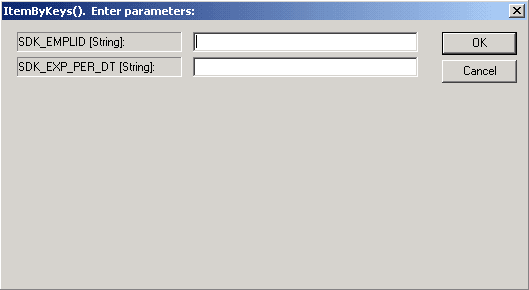
This example illustrates the Enter parameters dialog box for the ItemByKeys method. Use the page to get the signature for any component interface.
To determine ItemByKeys parameters:
-
Open the definition.
-
Select
-
Find or get an appropriate populated component interface.
-
Navigate to the appropriate collection.
-
Right-click, and select ItemByKeys from the menu.
A dialog box appears, showing the specific parameters and types and the order in which you should call ItemByKeys.
In the preceding example, the keys for the SDK_BUS_EXP_PER ItemByKeys method are SDK_EMPID (String) and SDK_EXP_PER_DT (String).