Adding Primitive Elements
To add a primitive element to a document, on the document tree you select the element to which to add a primitive child or primitive peer element. On the Action Toolbar you click the Add Primitive Child or Add Primitive Peer button.
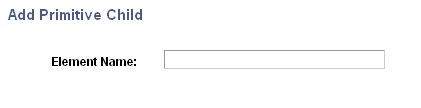
If you are adding a primitive child element, the Add Primitive Child page (IB_LOGICALCOLL_SEC) appears. Use the page to name the new primitive child element. :
The following example shows the Add Primitive Child page.
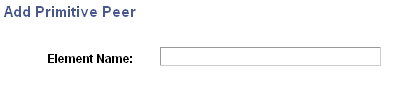
If you are adding a primitive peer element, the Add Primitive Peer page (IB_LOGICALCOLL_SEC) appears. Use the page to name the new primitive peer element.
The following example shows the Add Primitive Peer page.
Note:
The Add Primitive Child and Add Primitive Peer pages use the same IB_LOGICALCOLL_SEC object.
To add primitive elements (child or peer) to documents:
-
Access the Document Builder - Documents page ().
-
On the document tree, click the element to which to add a primitive child or primitive peer element.
-
On the action toolbar, do one of the following:
-
Click the Add Primitive Child button to add a primitive child element.
-
Click the Add Primitive Peer button to add a primitive peer element.
If adding a primitive child element, the Add Primitive Child page appears; if adding a primitive peer element, the Add Primitive Peer page appears.
-
-
In the Element Name field, enter a name for the new primitive element.
-
Click the OK button.
The element appears on the document tree and you may define its properties.