Appending and Deleting Collection Element Items
You can append a collection item with a copy of the last row in the collection or delete the last row in a collection.
To accomplish either task, use the Collection Actions - Select an Action page (IB_LSTESTER2_SEC). When you click the name of a collection element in the document tree, the Collection Actions - Select an Action page appears.
This example illustrates the fields and controls on the Collection Actions - Select an Action page. You can find definitions for the fields and controls later on this page.
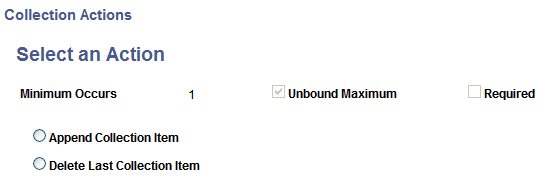
The system displays properties for the element, such as minimum occurs, unbound maximum, and required, as defined for the document in the Document Builder.
Appending Collection Elements
To append a collection element with a copy of the last row in the collection:
-
Access the Document Tester ().
-
Click the name of a collection element.
The Collection Actions - Select an Action page appears.
-
Select Append Collection Item.
-
Click the OK button.
The Document Tester page appears, and the collection element is appended with a copy of the last row in the collection.
Deleting Collection Elements
To delete a collection row:
-
Access the Document Tester ().
-
Click the name of a collection element.
The Collection Actions - Select an Action page appears.
-
Select Delete Last Collection Item.
-
Click the OK button.
The Document Tester page appears, and the last row in the collection is deleted.