Defining Collection Element Properties
After you add a collection child or collection peer element to a document, the collection element properties appear on the right side of the Document Builder - Documents page.
The following example shows the properties for a collection child element called order_status.
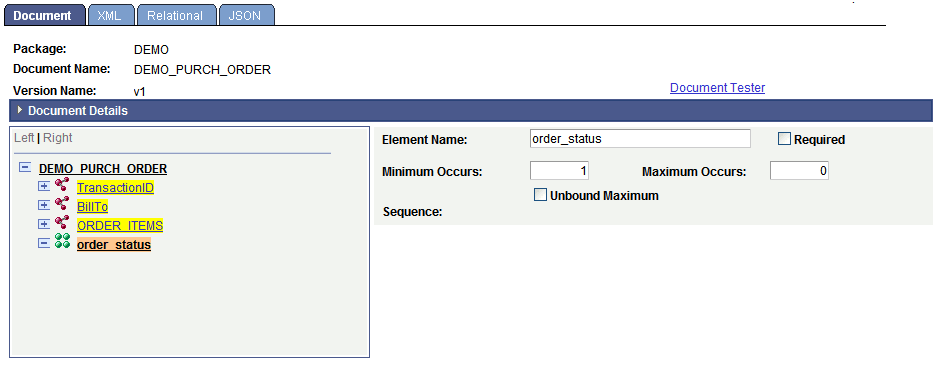
You can define the following collection element properties:
| Field or Control | Description |
|---|---|
|
Element Name |
Name of the element as it will appear in the XML document. |
|
Required |
Select the check box to make the element required. |
|
Min Occurrence (minimum occurrence) |
The minimum number of instances when populating the document definition with data. As an example, entering a 0 (zero) means that you do not have to populate the collection. Enter the minimum number of occurrences of the collection element in the document. The default value is 1. |
|
Max Occurs (maximum occurrence) |
This field appears only if the Unbound Maximum field is cleared. Enter the maximum number of occurrences of the collection element in the document. |
|
Unbound Maximum |
Select the check box to include an unlimited number of occurrences of the collection element in the document. By default, this option is selected. |
|
Sequence |
The system assigns this read-only field. The sequence number is used for indexing with the PeopleCode API for documents. |