Viewing XML Schema Details
By default, the XML Schema Details section of the Document Builder - XML page appears collapsed on the page. To expand the section, click the arrow icon next to the XML Schema Details label.
The following example shows the Document Builder - XML page with the XML Schema Details section expanded.
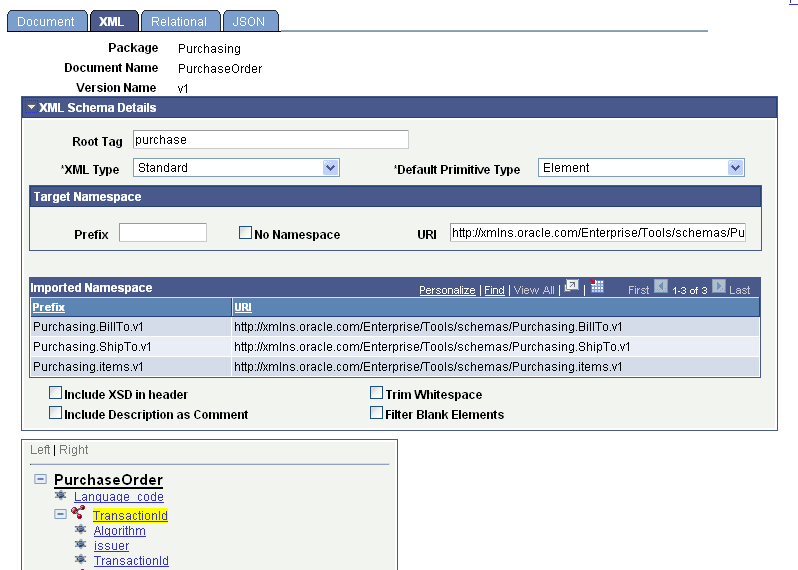
The XML Schema details shows the root tag name, XML type, and element type. Target namespace information provided includes the target namespace prefix and URI,, and if the namespace is defined to appear in the generated XML. The Imported Namespace section shows the names and URIs of any documents that are defined as elements in the document. Other information provided includes whether the schema reference is included in the XML, if whitespace is to be trimmed, if blank elements are filtered out of the XML, and so on.