Adding Record PeopleCode
Add the following code to the FieldChange event for the “Publish as Feed” component record field:
import PTFP_FEED:UTILITY:PublishAsRequest;
Declare Function initialize PeopleCode PTFP_PA_WORKREC.FUNCLIB FieldFormula;
Local PTFP_FEED:UTILITY:PublishAsRequest &request;
Local array of string &thisDSS;
/* Create and fill in the request object */
&request = create PTFP_FEED:Utility:PublishAsRequest("unique ID");&request.TransactionPageName = Page.PAGE_NAME;
&request.TransactionTitle = "Page Title";
&request.ContentTitle = "Default Feed Title";
&request.ContentDescription = "Default Feed Description";
&request.AdvancedOptionsPageName = Page.PAGE_NAME;
&request.DataTypeID = "yourDataTypeID";
/* Fill in the data source setting values */
&thisDSS = CreateArray("Data Source Setting Name", ⇒
"Data Source Setting Value");
&request.DataSourceSettings.Push(&thisDSS);
/* Start the process */
initialize(&request);
Example
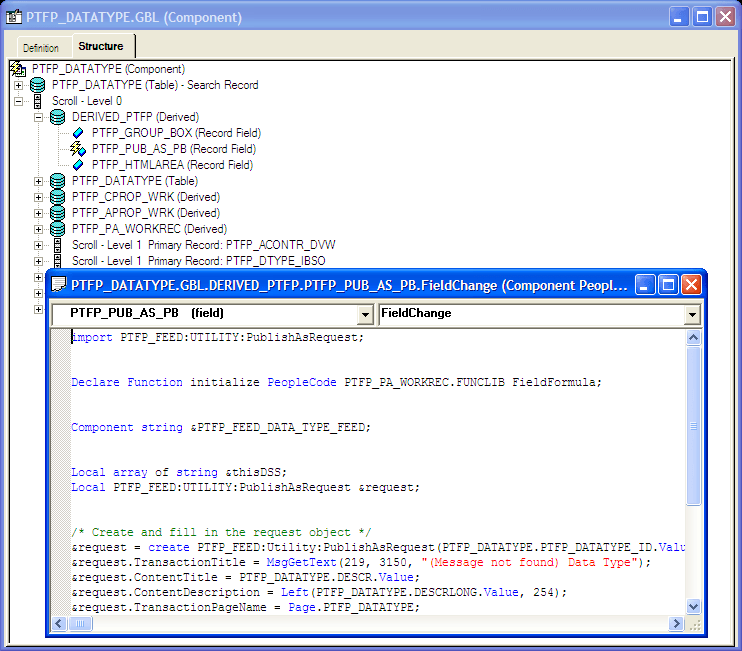
This example illustrates the PTFP_PUB_AS_PB field showing PeopleCode for the FieldChange event.
Note:
Where you add the record PeopleCode depends on which record field is used for the Publish as Feed page. If you use the standard page, DERIVED_PTFP.PTFP_PUB_AS_PB, then you should only add code in the component record field FieldChange event. If the field is in your own work record, you can use the record FieldChange event directly.