Creating an Advanced Options Page
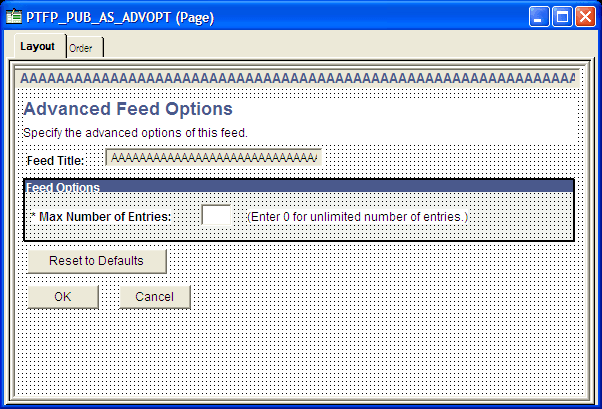
The advanced options page is used to set data source parameters for each feed definition. The standard advanced option page, PTFP_PUB_AS_ADVOPT, has one advanced option: Max Number of Entries. If your new feed data type has additional data source parameters (such as a paged feed, an incremental feed, or other parameters), then you must create a custom advanced options page. Otherwise, you can use the standard advanced options page shown in this example:
This example illustrates the fields and controls on the PTFP_PUB_AS_ADVOPT page.
To create a custom advanced options page:
-
Clone the PTFP_PUB_AS_ADVOPT page as a feed data type-specific advanced options page.
-
Add the feed data type-specific data source parameters to the page.
-
In the page Activate event, create a PeopleCode program to read the data source parameter values from the feed definition.
-
Create an additional PeopleCode program to set the data source parameter values to the feed definition when the page is closed.
Example
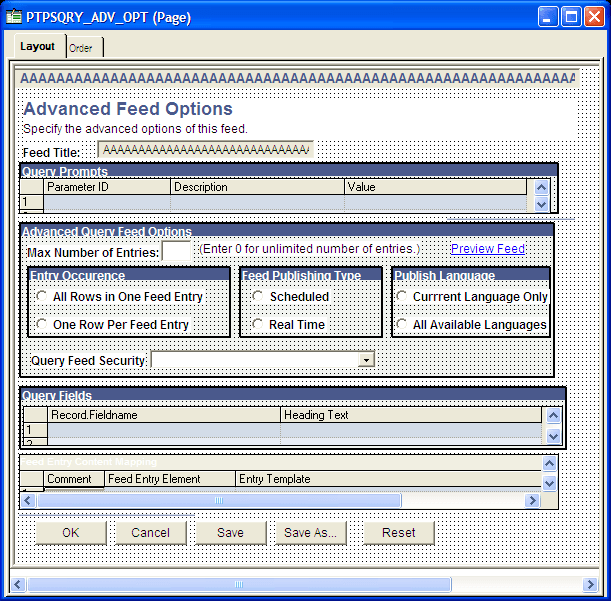
This is the Query Advanced Options page. Notice how this page differs from the standard page.
This example illustrates the fields and controls on the Query feeds advanced options page.