Editing Feed Templates
Access the Edit Feed Templates page (PeopleTools, Feeds, Edit Feed Templates).
This example illustrates the fields and controls on the Edit Feed Templates page. You can find definitions for the fields and controls later on this page.
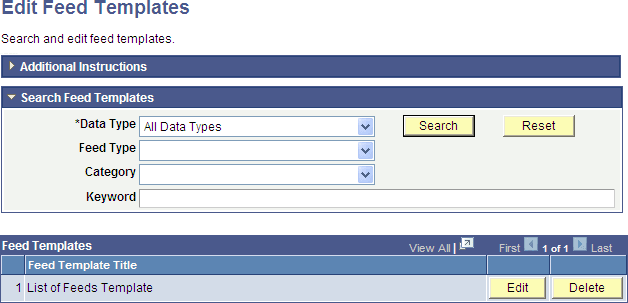
Use the Edit Feed Templates page to edit or delete feed templates.
| Field or Control | Description |
|---|---|
|
Data Type |
Select from the following feed data types:
Note: The previous list includes only the base feed data types delivered with PeopleTools. The results can differ on your system depending which other PeopleSoft applications you have installed and whether any custom feed data types have been developed. |
|
Feed Type |
Select from the following feed types:
|
|
Category |
Select from the active feed categories defined on your system. |
|
Keyword |
Enter a keyword to narrow the search criteria. Keywords search the Feed ID, Feed Title, and Description fields and are not case sensitive. |
|
Search |
Click the Search button to return the list of available feed templates that satisfy the search criteria that you entered. |
|
Reset |
Click the Reset button to clear the search results and reset all search criteria to their default values. |
|
Edit |
Click the Edit button to edit the feed template in the Feed Publishing Wizard. |
|
Delete |
Click to delete the feed template. |