Setting Feed Publishing Framework Options
Access the Feed Options page (PeopleTools, Feeds, Feed Options).
This example illustrates the fields and controls on the Feed Options page. You can find definitions for the fields and controls later on this page.
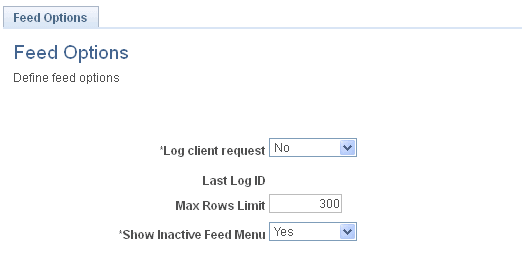
Use the Feed Options page to define system-wide options for the Feed Publishing Framework.
| Field or Control | Description |
|---|---|
|
Log client request |
Select Yes to enable logging of feed requests in the PTFP_ACCESS_LOG table. The default value is No. |
|
Last Log ID |
Displays the log ID of the last feed request. |
|
Max Rows Limit |
Specify the limit for the maximum number of feed entries in a feed. This limit applies to all feed types except paged scheduled feeds. |
|
Show Inactive Feed Menu |
Select No to hide the related feeds hover menu when it is inactive—that is, when no feeds of that type have been defined. The default value is Yes, show the related feeds hover menu when it is inactive. |