Using Worklist Feeds
You can view the feeds by selecting any of the following navigation paths:
-
Access the My Feeds page:
-
Select in the Main Menu.
-
Enter search criteria and click Search.
-
Select the desired worklist feed.
-
-
Access the Worklist page:
-
Select .
-
Select a worklist feed from the related feeds hover menu.
-
-
Access the Worklist Details page:
-
Select
-
Select a worklist feed from the related feeds hover menu.
-
The following example shows a feed titled Worklist Notification in the browser:
This example illustrates a worklist feed titled Worklist Notification.
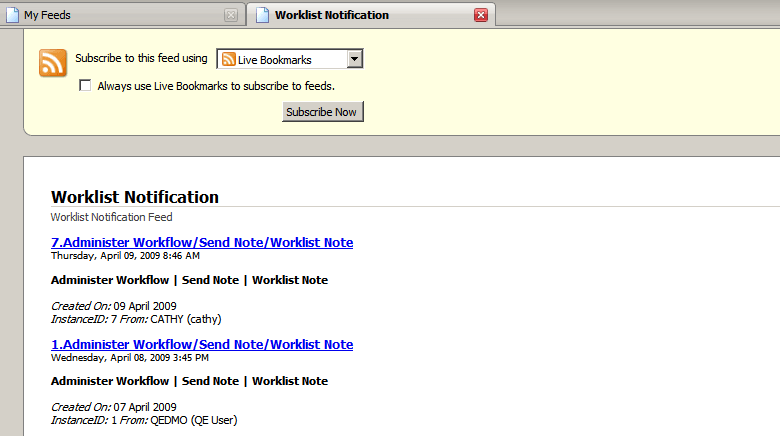
When you click a worklist item, the appropriate page will appear.