Left Panel Collision Handling with Slide-out Left Panels
The “slide-out” left panel is a feature that enables you to include a component that itself has a left panel within fluid wrappers (master/detail components, fluid activity guides, fluid navigation collections, or custom fluid wrapper components) that also use the left panel to present navigation links. If collision handling with the slide-out left panel is not enabled, contention will occur as both the outer and inner components attempt to manage the contents of the left panel. When this occurs, users lose the ability to navigate via the navigation links of the outer, wrapper component, via the navigation links of the inner component, or both.
Two types of contention (or collisions) can occur depending on the implementation of the inner component that causes the collisions:
-
Intra-page collisions occur when the inner component has included its own left panel (that is, a page type of Side Page 1). Because the fluid wrapper also implements the left panel using Side Page 1, the collisions occur within this side page. Fluid components developed on PeopleTools 8.55 and later releases use Side Page 1 to implement the left panel.
-
Inter-page collisions occur when the inner component has included the left panel as part of the page content—for example, in PeopleTools 8.54, the PSL_TWOPANEL layout page provided one mechanism for creating a left panel. In this case, the collisions occur between the Side Page 1 of the fluid wrapper and the content of the inner component.
Important:
A fluid wrapper component (that is, a master/detail component, a fluid activity guide, or a fluid navigation collection) can never be displayed inside another fluid wrapper component. Enabling the slide-out left panel cannot be used to overcome this inflexible limitation.
When the slide-out left panel is enabled and an inner component without its own left panel is displayed, the left panel of the outer, fluid wrapper is displayed normally; there is no need for a slide-out left panel.
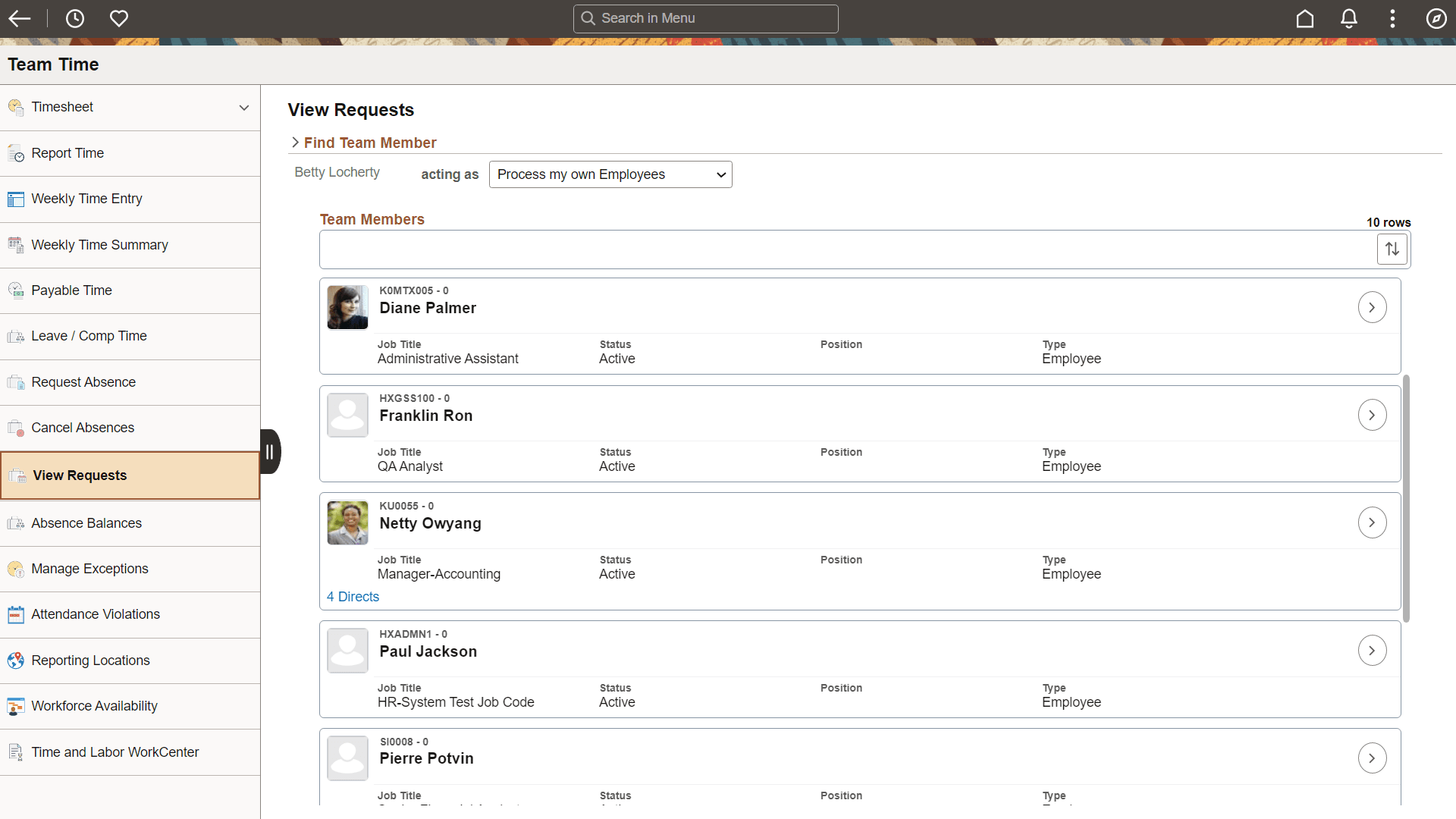
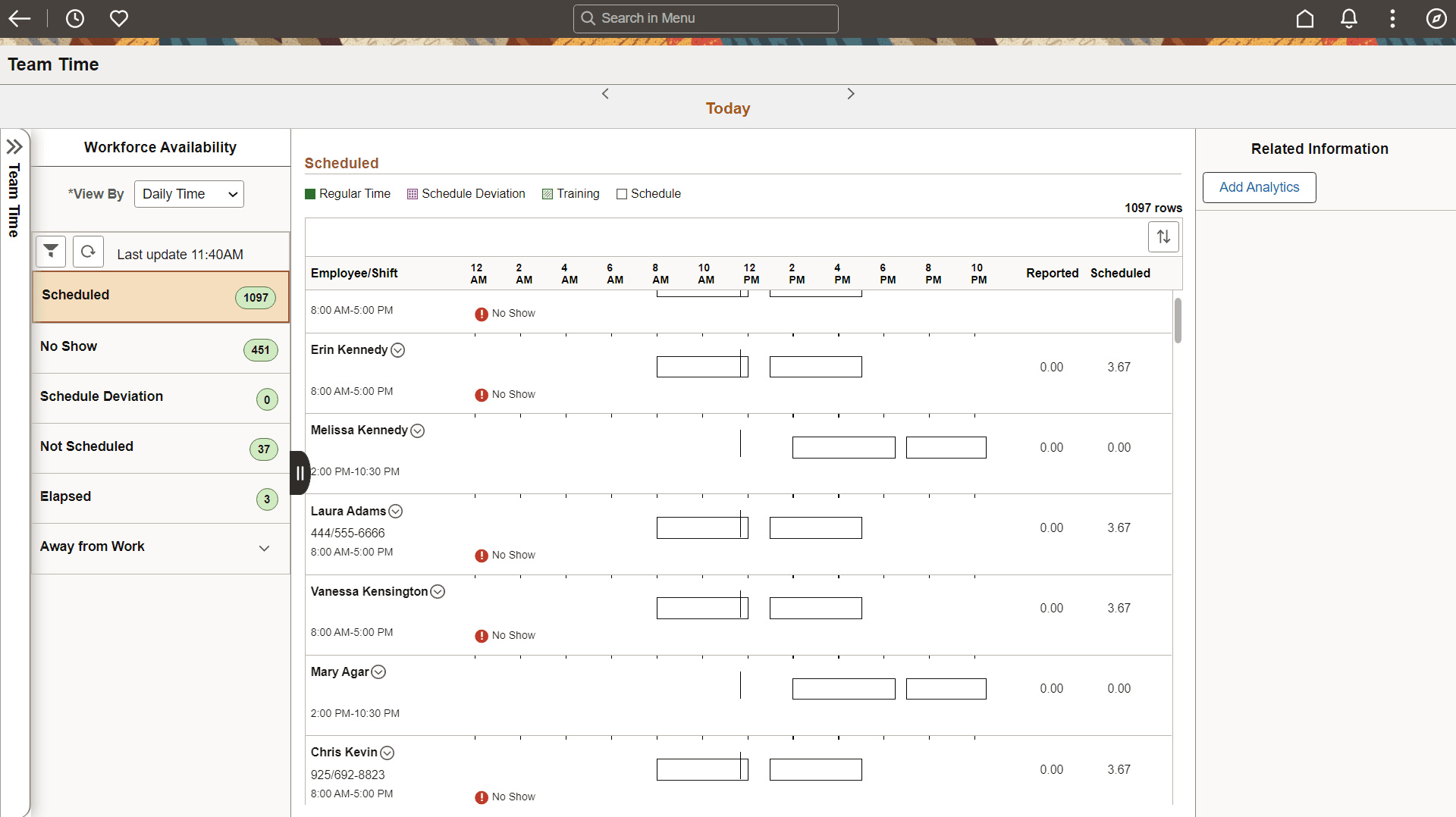
When the slide-out left panel is enabled and an inner component with its own left panel is displayed, the left panel of the outer, fluid wrapper is initially minimized as shown in the following example. The navigation links displayed are those from the inner component:
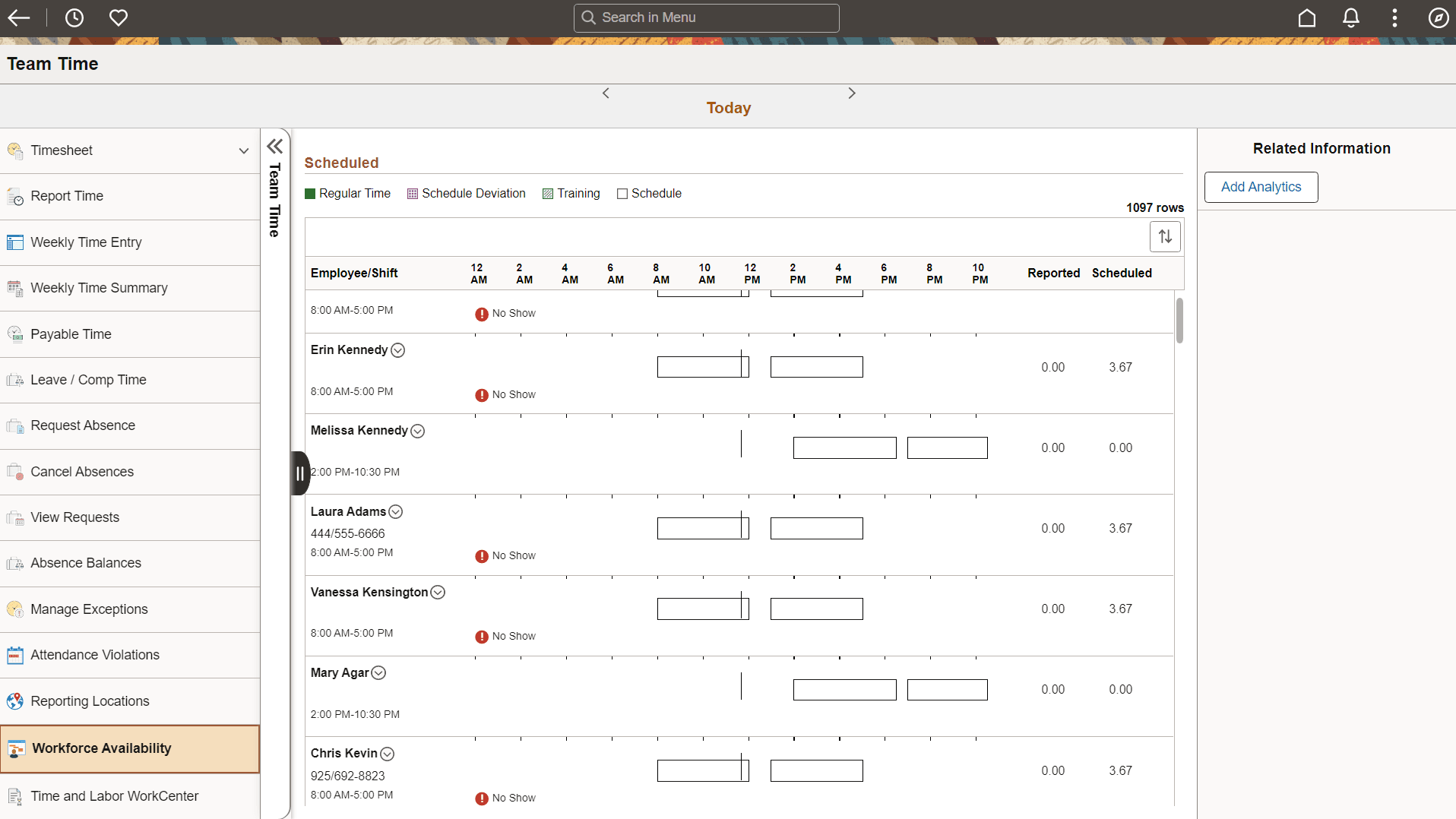
Clicking anywhere on the tab divider (labeled Detail, in this example) will slide open the left panel of the outer, fluid wrapper. The navigation links displayed are those from the outer, fluid wrapper:
The slide-out left panel is disabled by default. You must enable the slide-out left panel on each fluid wrapper definition which requires its use:
-
For master/detail components, fluid activity guides, and fluid navigation collections, add the following query string parameter to the URL for the content reference definition that launches the fluid wrapper: &ICMDListSlideout=true
-
If you are creating a custom fluid wrapper, use the SetMDListSlideout function.
In addition, when you enable AJAX transfers, then you might also need to enable a slide-out left panel to prevent inadvertent left panel collisions.
Related Topics
- PeopleCode Language Reference: SetMDListSlideout function
- PeopleCode API Reference: IsSide1CollisionInterPage method: PanelController class
- PeopleCode API Reference: IsSide1CollisionIntraPage method: PanelController class
- PeopleCode API Reference: IsSide1HasCollision method: PanelController class
- AJAX Transfers