Managing Workflow Notifications
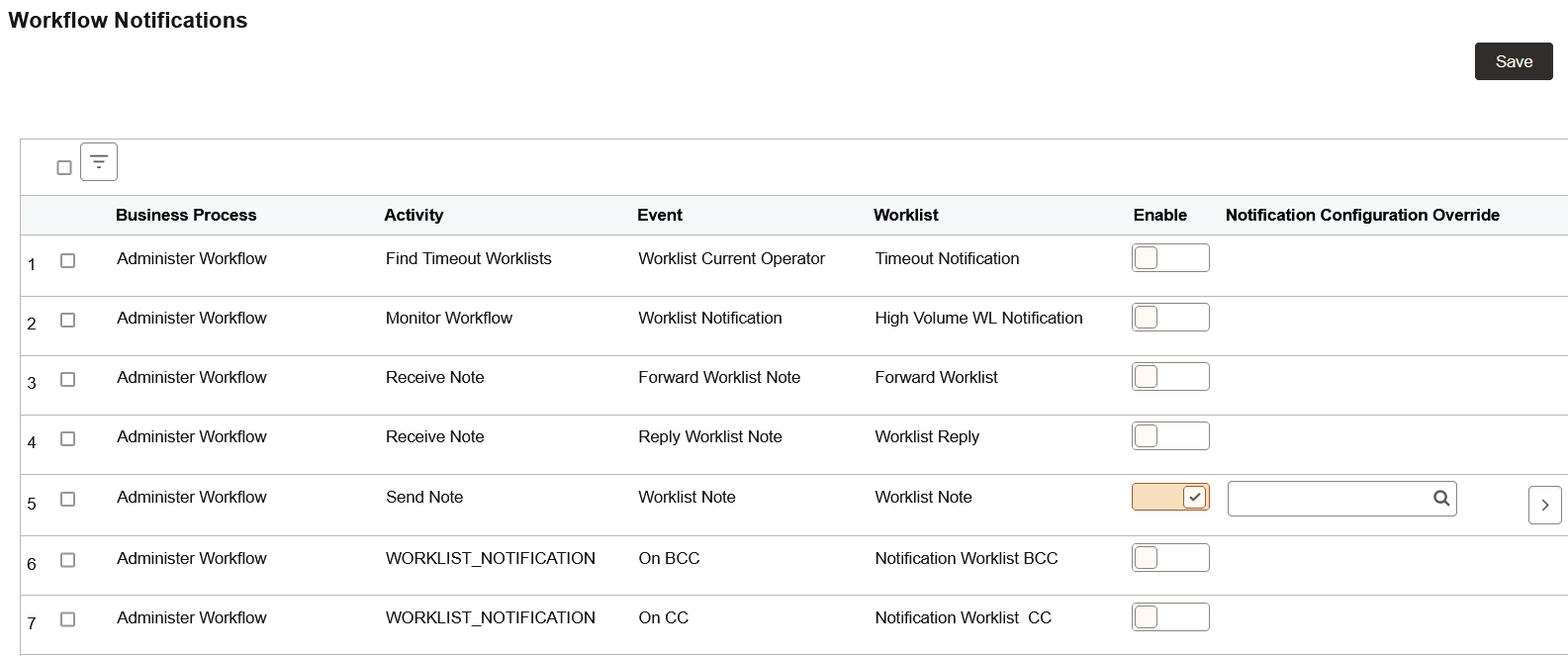
Use the Workflow Notifications page to enable or disable workflow event notifications selectively based on the business process, activity name, event name, and worklist name.
Navigation:
In the left panel of the Notification Administration fluid navigation collection, select the Workflow Notifications item.
This example illustrates the fields and controls on the TriggerBusiness Event page. You can find definitions for the fields and controls later on this page.
| Field or Control | Description |
|---|---|
|
Enable |
Select Enable to enable or disable the notifications for this business process combination. |
|
Notification Configuration Override |
For this business process, select a notification configuration to override the default PeopleTools-delivered TriggerBusinessEvent notification configuration. |
|
|
Click to configure the notification details. See the following section, “Workflow Notification Details Page.” |

Workflow Notification Details Page
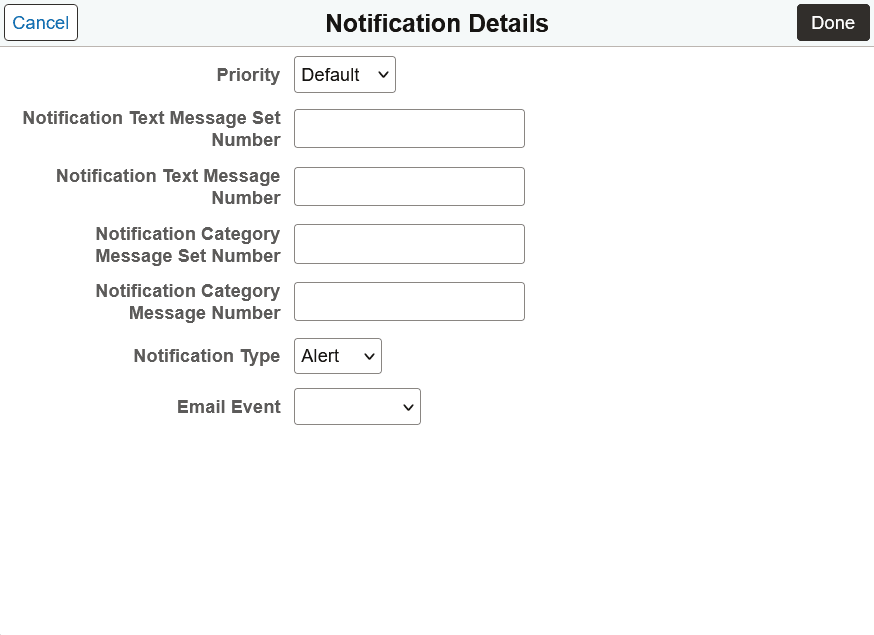
Use the Notification Details page to configure the details for the selected workflow event.
This example illustrates the fields and controls on the Notification Details page. You can find definitions for the fields and controls later on this page.
| Field or Control | Description |
|---|---|
|
Priority |
Specify the priority for this notification: Default, High, Low, or Medium. Note: Notifications with a high priority are highlighted in the Notifications panel. All other priority settings are available as filters on the View All Notifications page. |
|
Notification Text Message Set/Message Number |
For each workflow event, specify the message set ID and number to form the notification message. |
|
Notification Category Message Set/Message Number |
Note: These fields are retained for compatibility with workflow event notifications created prior to PeopleTools 8.59. |
|
Notification Type |
Specify the notification type: Alert or Action. |
|
Email Event |
For workflow events that include an email event in the workflow definition, you can select Email Note to use that event definition as the notification message. Otherwise, the Message Catalog entry specified on this page is used instead. |