Sending Broadcast Messages
Use the Broadcast Message page as a testing utility to send broadcast messages to selected users by role or user ID.
Navigation:
This example illustrates the fields and controls on the Broadcast Message page. You can find definitions for the fields and controls later on this page.
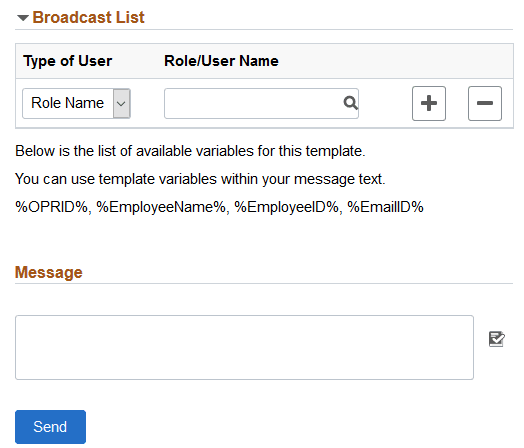
| Field or Control | Description |
|---|---|
|
Type of User |
Select from these types:
|
|
Role/User Name |
Select the role or user ID to be the recipient of the broadcast message. |
|
Message |
Enter the message as free-form text. You can use the following variables within the message body:
|