Setting Fluid Properties
The Fluid tab contains a collection of properties that apply only to fluid pages.
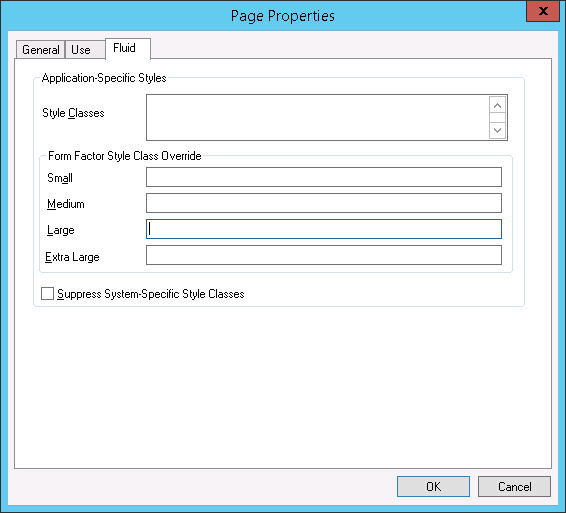
This example shows the Fluid tab in the Page Properties dialog box in Application Designer. The following descriptions cover the properties that are specific to fluid pages.
| Field or Control | Description |
|---|---|
|
Style Classes |
Enter the application-specific style classes to apply to extend the default system-specific styles (PeopleTools styles applied by default). Separate multiple style classes with a space. |
|
Form Factor Style Class Override |
Use to override any application-specific styles based on the form factor (device size) of the device accessing the page. Form factors are represented in these ranges:
For example, assume that the application-specific Style Classes field contains the style, psc_margin-bottom05em, which you intend to apply to all form factors except for the small form factor. In this case, for the Small field in the Form Factor Style Class Override group box, you enter the override style class to apply when a small form factor device accesses the page. |
|
Suppress System-Specific Style Classes |
Important: This setting applies at the page control level only. At the page level, this setting is ignored. |