Setting Use Properties
On the Use tab in the Page Properties dialog box, some properties need to be described separately in the context of fluid applications (versus classic applications).
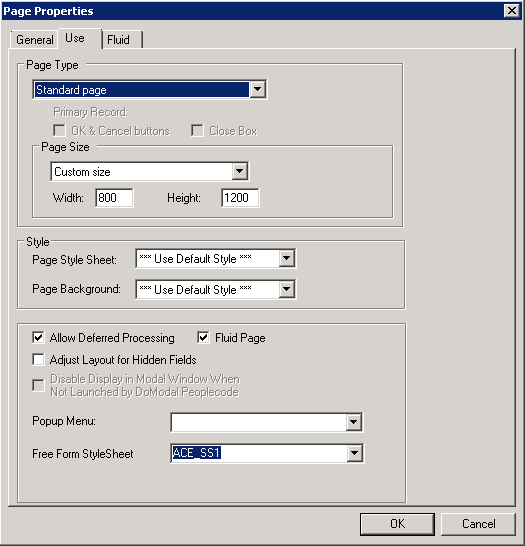
This example shows the Use tab in the Page Properties dialog box in Application Designer. The following descriptions cover the properties that are specific to fluid pages.
| Field or Control | Description |
|---|---|
|
Page Type |
Select the type of page for use in the fluid application, such as header, footer, search, and so on. For more information on page types used for fluid development, see Selecting Fluid Page Types. |
|
Fluid Page |
For a page to be displayed and rendered in fluid mode, the Fluid Page check box must be selected. This is required. |