Testing Group Box Layout
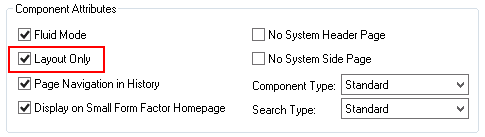
Because group boxes are essential to the layout of the fluid page and all of its elements, being able to determine exactly the contents of a group box container is also essential. Select Layout Only on the Fluid tab of the Component Properties dialog box.
This example illustrates where you enable group box layout testing on the Component Properties dialog box, by selecting Layout Only.
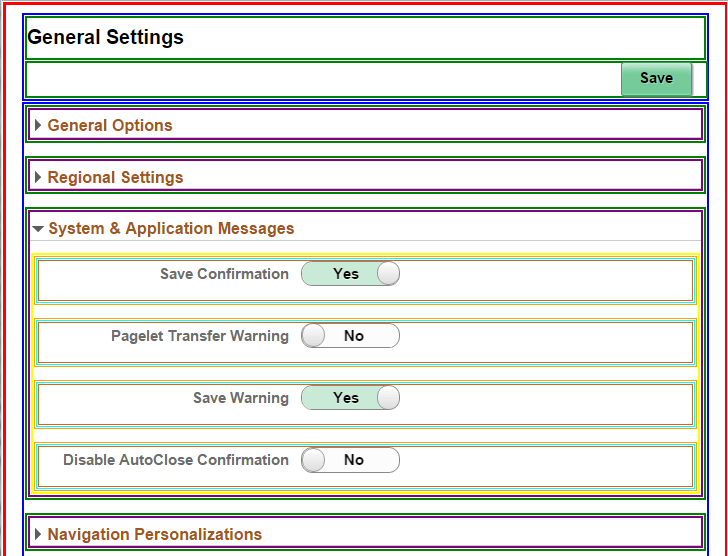
At run time, the system displays the fluid page in the browser using different colored boxes to depict the scope of each group box on the page, providing visual indication for you to verify the scope and contents of each group box container.
This example illustrates the different colored boxes indicating the scope and coverage of each group box using the My Preferences page (PTGP_USER_PERS_FL).