Understanding the Elements of Master/Detail Components
This section describes the essential elements of master/detail components.
- The master/detail component definition - PT_MDSTARTPAGE_NUI in the example.
- A side page definition, which will display the navigation elements - PT_MDSIDEPAGE in the example.
- A target page definition, which will display the target content - PT_MDSTARTPAGE_NUI in the example.
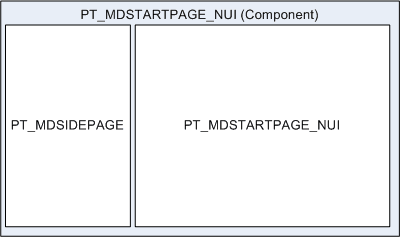
Master/Detail Component
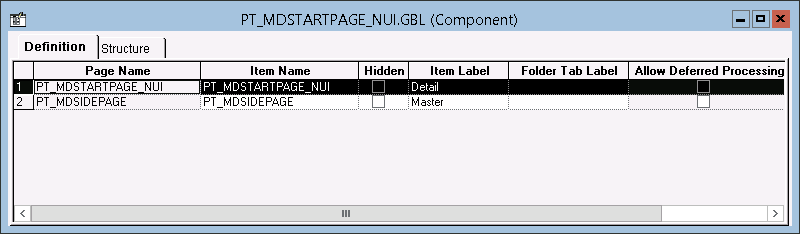
The master/detail component has its component type set to Master/Detail on the Component Properties: Fluid tab. This component contains two page definitions: a target page for the details and a side page for the master list.
PeopleTools provides a default master/detail component: PT_MDSTARTPAGE_NUI that you can clone and modify or use as is.
This example illustrates the PT_MDSTARTPAGE_NUI component definition.
Master/Detail Side Page
The master/detail side page provides the left navigation in the form of a side panel. The side page acts as the master, controlling the navigation, whereas the target page acts as the details, displaying when called by the master. The master/detail side page has page type set to Side Page 1 on the Page Properties: Use tab.
PeopleTools provides a default master/detail side page: PT_MDSIDEPAGE that you can clone and modify or use as is.
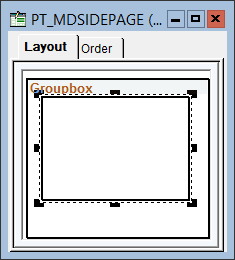
This example illustrates the PT_MDSIDEPAGE definition. The inner group box (selected in this example) will display the master list to the user. The group box type is Layout Only with this style applied: ps_masterlist-group.
Master/Detail Target Page
The target page displays the content accessed from the side page navigation. The target page has page type set to Master&Detail Target Page on the Page Properties: Use tab.
PeopleTools provides a default master/detail target page: PT_MDSTARTPAGE_NUI that you can clone and modify or use as is.
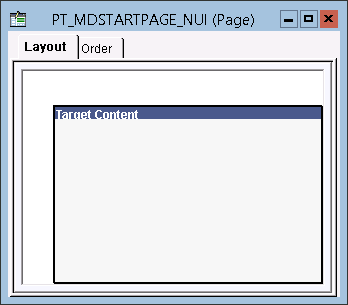
This example illustrates the PT_MDSTARTPAGE_NUI definition. The Target Content group box is placed on the target page and displays the target content at runtime. The group box type is Master/Detail Target with this style applied: ps_ag-targetcontent.