Defining DST IDs
Access the DST IDs page ().
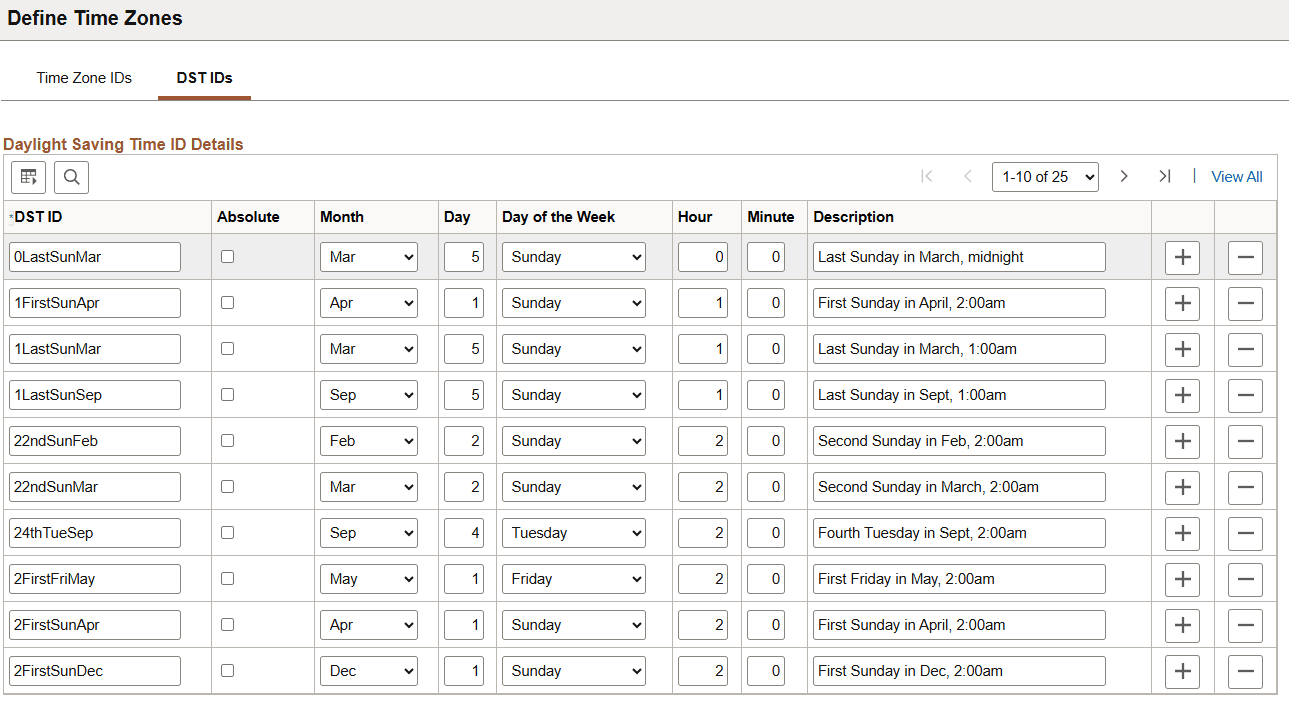
This example illustrates the fields and controls on the DST IDs page. You can find definitions for the fields and controls later on this page.
| Field or Control | Description |
|---|---|
|
DST ID |
Displays a unique identifier for the combination of date and daylight saving start time. For example, 22ndSunFeb represents the second Sunday in February at 2:00 am. |
|
Absolute |
Clear this check box to indicate a relative date, such as the last Sunday in October. |
|
Month |
Displays the month. |
|
Day |
For absolute dates, displays the day of the month. For relative dates, the numbers 1, 2, 3, and 4 represent the first, second, third, and fourth occurrence of the day of the week—for example, to describe the second Sunday in February, enter 2. Use the number 5 for a relative date to indicate the last occurrence of the specified day of the week, even if that day of the week occurs only four times in the month. |
|
Hour |
Displays the hour at which the time switch occurs. |
|
Minute |
Displays the minute at which the time switch occurs. |
|
Description |
Provides a description of the DST ID. |