Setting Up Dynamic Primary-Secondary Dispatchers
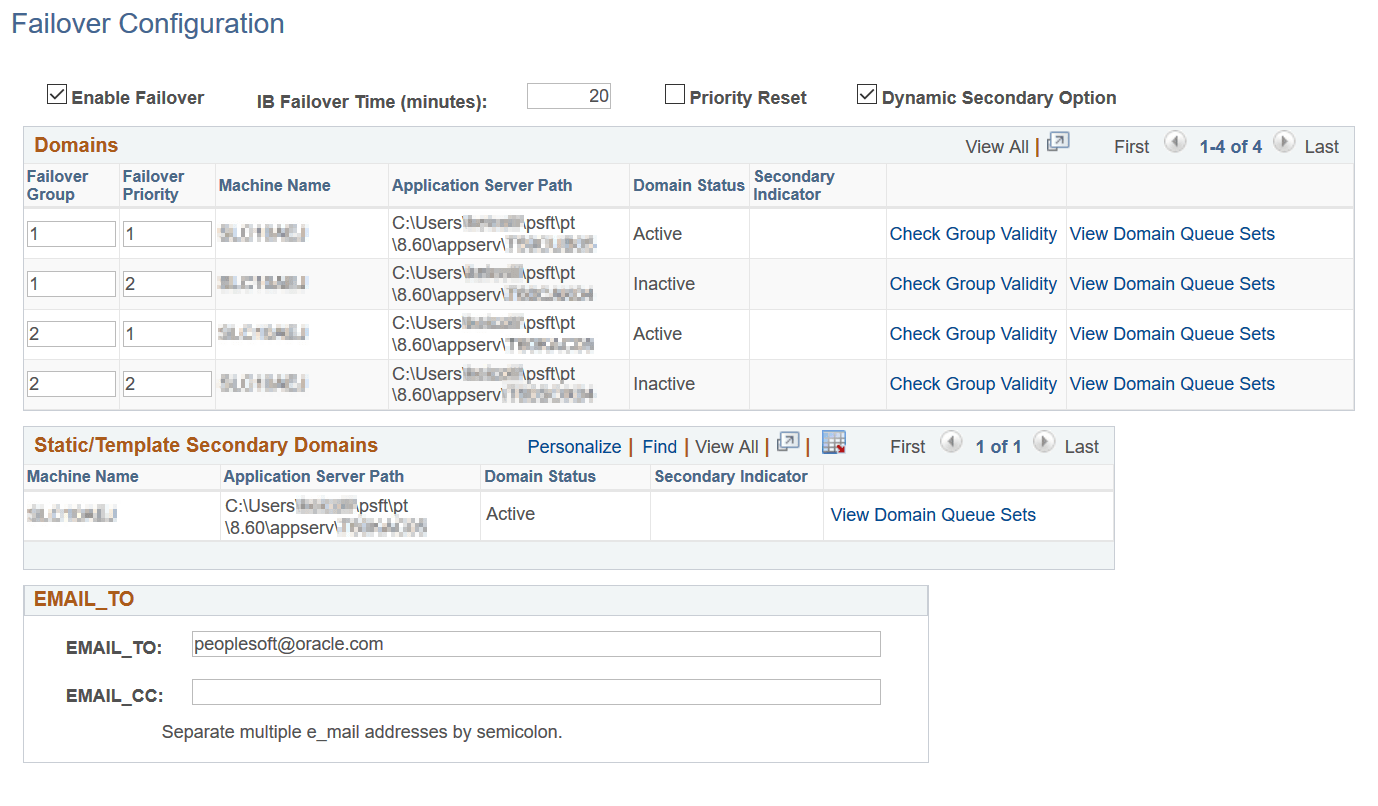
When dynamic secondaries have been set the Secondary Indicator column on the Failover Configuration page displays the status Dynamic to indicate the domains that are serving as dynamic secondaries.
This example illustrates the Failover Configuration page. In the example, a dynamic secondary is configured, as indicated by the term Dynamic appearing in the Secondary Indicator column.
As noted earlier, the domain in a failover group with the highest priority becomes the primary and the domain with the second highest priority becomes the secondary.
To set up primary—secondary dispatchers, follow the procedure for setting up failover and verify that you:
-
Check the Enable Failover box.
-
Check the Dynamic Secondary Option box.
-
Set up at least one failover group that contains at least two domains.
-
Set a failover priority for each domain in the failover group.
-
Save your settings.