Setting the Network Node Password
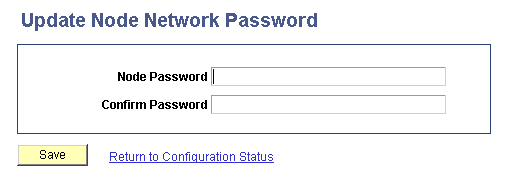
Use the Update Node Network Password page to set the network node password.
Important:
This password must then be set on each system participating in the network. The password set must be identical on all systems participating in the integration network.
At this time you have to navigate out of the activity guide to set this password. To access the page select PeopleToolsIntegration BrokerIntegration Network WorkCenterConfiguration.The Configuration Status page appears. In the Related Links section of the Configuration Status page, click the Update Node Network Password link.
This example illustrates the Update Node Network Password page.
To set the network node password:
-
Access the Update Node Network Password page.
Select
The Configuration Status page appears.
On the Configuration Status page, locate the Related Links section at the bottom of the page and click the Node Network Password link.
-
In the Node Password field, enter a password.
-
In the Confirm Password field, enter the password again.
-
Click the Save button.
-
Navigate back to the IB Configure Network pagelet using the control in the navigation pane of the Integration Network WorkCenter.