Using the Web Service Access Page
Use the Web Service Access page (WS_ACCESS_IB) to define permissions for a service operation, including assigning a permission list and setting the access level to the service operation.
You access this page from the Integration Network from the Service Operation Permissions page. To access the page select After you select one or more service operations with which to work, in the Service Operation results grid at the bottom of the page, click the Set Security link.
This example illustrates the fields and controls on the Web Service Access page. You can find definitions for the fields and controls later on this page.
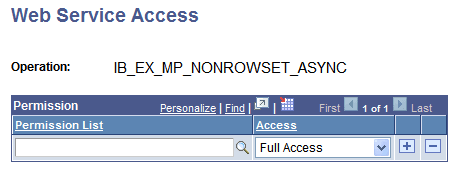
The page features the following fields and controls:
| Field or Control | Description |
|---|---|
|
Operation |
Name of the service operation for which to set permissions. |
|
Permission (grid) |
This grid features the following fields and controls:
|
Complete documentation for the Web Service Access page can be found elsewhere in the product documentation.