Setting Batch Processing Options
You use the Batch Processing tab to set output directory options related to the projects with which you work in the Batch work space.
This example illustrates the fields and controls on the Preferences – Batch Processing tab. You can find definitions for the fields and controls later on this page.
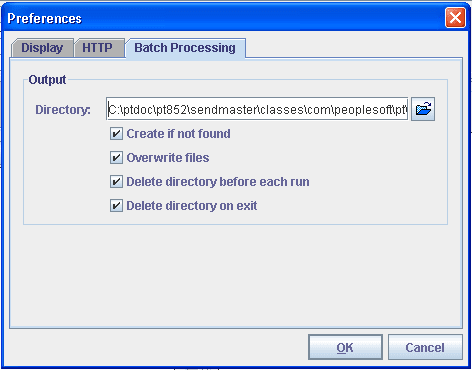
| Field or Control | Description |
|---|---|
|
Directory |
Specify the output directory for Batch project results. |
|
Create if not found |
Select this check box to create the directory specified in the Directory field if it does not exist. |
|
Overwrite files |
Select this check box to overwrite files of the same name in the output directory. |
|
Delete directory before each run |
Select this check box to delete the contents of the directory before you run each batch project. |
|
Delete directory on exit |
Select this check box to delete the contents of the directory each time that you exit the Batch work space. |