Accessing Service Operation Definitions
Use the pages in the Service Operations component (IB_SERVICE) to access and view service operation definitions.
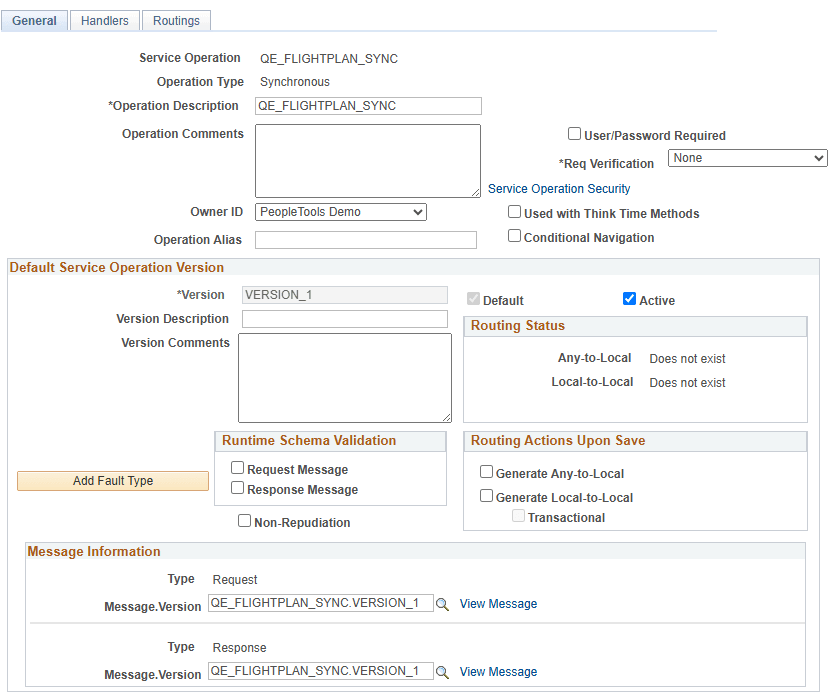
The example shows the Service Operations – General page. The example shows the definition for the QE_FLIGHTPLAN_SYNC service operation.
To access a service operation definition:
-
Select .
The Service Operations– Search page appears.
-
Search for a service operation definition to view.
You can search for an operation in one of two ways:
-
Click the Search button to display all service operation definitions in the system.
-
Enter search criteria in one or more of the following fields, and then click the Search button:
Field or Control Description Service
Enter the service name that contains the service operation that you want to view, or click the Lookup button to search for and select a service name.
Service Operation
Enter the name of the service operation to view, or click the Lookup button to search for and select an operation.
Operation Type
This search option is for web service operations only.
From the Operation Type drop-down list box, select an operation type. Values are:
-
Asynch Request/Response
-
Asynch to Synch
-
Asynchronous – One Way
-
Synchronous
-
-
-
In the Service Operations results grid, click the name of the service operation to view.
The Service Operations – General tab appears with data for the service operation that you selected.