Activating Integration Metadata Using the Integration Status Page
The system activates the associated metadata and displays a message when the data is successfully activated.
This example shows a Message box that indicates a service operation version was successfully activated.
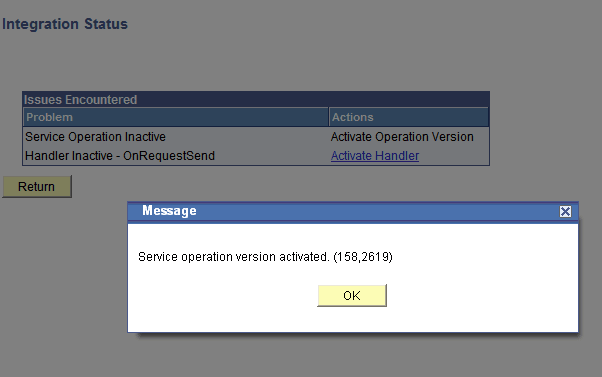
To activate metadata for an integration using the Integration Status page:
-
From the Integration Broker Routing Graphic page, click the Integration Not Active link.
The Integration Status page appears.
-
In the Actions column, click an action to complete.
The system processes the action and displays a message that the metadata is activated.
-
Click the OK button.
-
Repeat the steps to activate additional metadata.
-
Click the Return button to go back to the Integration Broker Routing Graphic page.