Viewing Inactive Integration Metadata
Use the Integration Status page (IB_IMAGETEST_SEC) to view inactive metadata for an integration. To access the Integration Status page, from the Integration Broker Routing Graphic page, click the Integration Not Active link.
This example illustrates the Integration Status page.
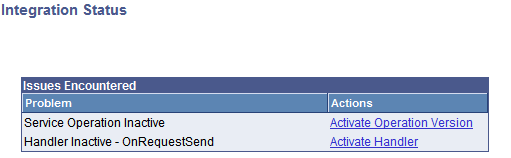
The Issues Encountered section lists the metadata that is inactive and that you must activate before you can invoke the service operation.
The links in the Actions column enable you to activate the associated metadata directly from this page.
See Activating Integration Metadata Using the Integration Status Page.