Adding Integration Subgroups
The Integration Group Definitions page features a Subgroups section where you define subgroups for an integration group and then add services to the subgroups.
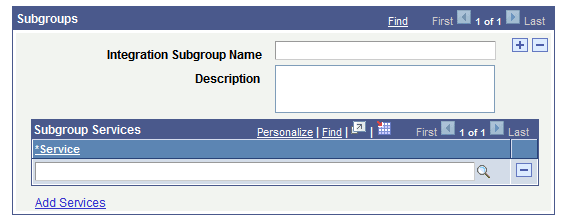
This example shows the Subgroups section of the Integration Group Definitions page. Use this section of the page to add subgroups to an integration group.
To add a service integration subgroup:
-
Access the Integration Group Definitions page ().
-
Locate the Subgroup section of the page.
-
In the Integration Subgroup Name field, enter a name for the subgroup.
-
In the Description field, enter a description for the subgroup.
-
Click the Add Services link to add services to the subgroup.
The process for adding services to integration groups and to integration subgroups is identical and is described elsewhere in this section.
-
Click the Save button.
To add additional subgroups to the integration group, in the Subgroups section title, click the Add Row button (+) to add another subgroups grid to the page and repeat the steps described in this section to define the subgroup and add services to it.