Adding Services to Integration Groups
Use the Integration Group Definitions page shown in the previous section to add services to integration groups.
Note:
The information presented in this section for searching for services to add to an integration group also applies to searching for services to add to integration subgroups.
You can search for the services to add to a group (or subgroup) by using the Add Services link on the Integration Group Definitions page to access the Add Services page (IB_INTGROUP_SEC).
This example illustrates the Add Services page.
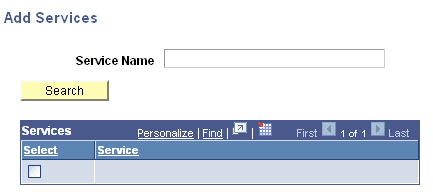
You can search for a service by entering a partial or complete service name in the Service Name field and then clicking the Search button. You can also leave the Service Name field blank and click the Search button to display a list of all services in the database.
After you locate the service or services to add to the group, select the Select check box next to each service name to add to the group and click the OK button.
To add services to an integration group:
-
Access the Integration Group Definitions page ().
-
Click the Add Services link.
The services search page appears.
-
Search for one or more services to add to the integration group, as described previously in this section.
-
Click the OK button to return to the Integration Group Definitions page.
-
Click the Save button.