Confirm and View Results
The final page in the Consume Web Service wizard is the Confirm Results page (IB_WSDL_IMP_RSLTS).
This example illustrates the Confirm Results page.
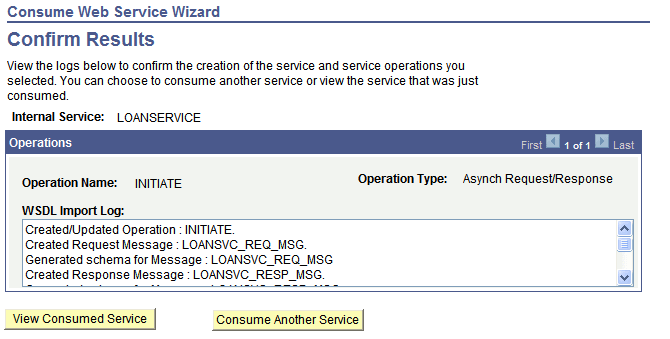
The Confirm Results page features a WSDL Import Log section that provides a summary of the WSDL import and lists the integration metadata created. The following example shows the contents of the WSDL Import Log for the example shown in this topic of consuming a service:
Created/Updated Operation : INITIATE.
Created Request Message : LOANSVC_REQ_MSG.
Generated schema for Message : LOANSVC_REQ_MSG
Created Response Message : LOANSVC_RESP_MSG.
Generated schema for Message : LOANSVC_RESP_MSG
Created Fault Message : LOANSVC_FAULT_MSG.
Failed to generate schema for Message : LOANSVC_FAULT_MSG
Created Routing: ~IMPORTED~18003 for Operation: INITIATE
Created Operation Version: V1
The Confirm Results page also features the following page elements:
| Field or Control | Description |
|---|---|
|
View Consumed Service |
Click the button to open the consumed service in the Services component. |
|
Consume Another Service |
Click the button to go back to step 1 of the Consume Web Service wizard and consume another service. |