Creating the Consumer Application Service
To create a new Consumer Application Service:
-
Select
-
Select Create Application Service.
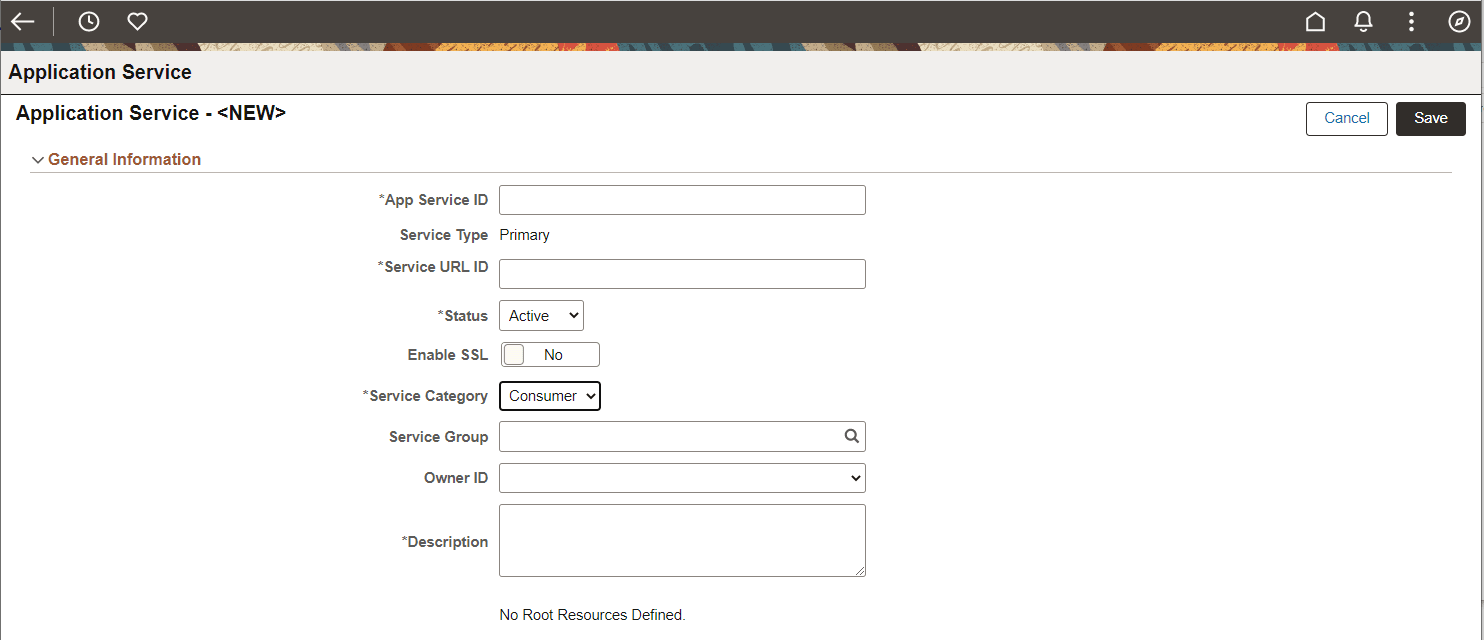
This example illustrates the fields and controls on the Application Services – General Information page to create a new Consumer Application Service. You can find definitions for the fields and controls later on this page.
| Field or Control | Description |
|---|---|
|
App Service ID |
Service ID for the Application Service. |
|
Service Type |
When you create a new Consume Application Service, the Service Type is Primary only. |
|
Service URL ID |
Service URL ID forms a part of the endpoint URL. It identifies the service to be executed. |
|
Status |
Status for the Application Service. When you create a new Application Service, the default Status is Active. |
|
Enable SSL |
Requires SSL for the Service to be invoked. |
|
Service Category |
Select Consumer. |
|
Service Group |
Used to group services together for search. |
|
Owner ID |
Owner of the Application Service. |
|
Description |
A description for the Application Service. |
The Save action will perform the following:
-
Verify that the Service URL ID value meets the Oracle standard for an URL value. If valid, the value will then be checked against Integration Broker Service Alias's to insure it is unique. If the value does not meet this criteria, a pop up message will be displayed.
This example illustrates the Service URL ID validation message.

Correct the Service URL ID and save the application service.
-
When the Service URL ID is valid, save processing will generate the necessary IB metadata, update the Service Name and enable the Create Root Resource button.
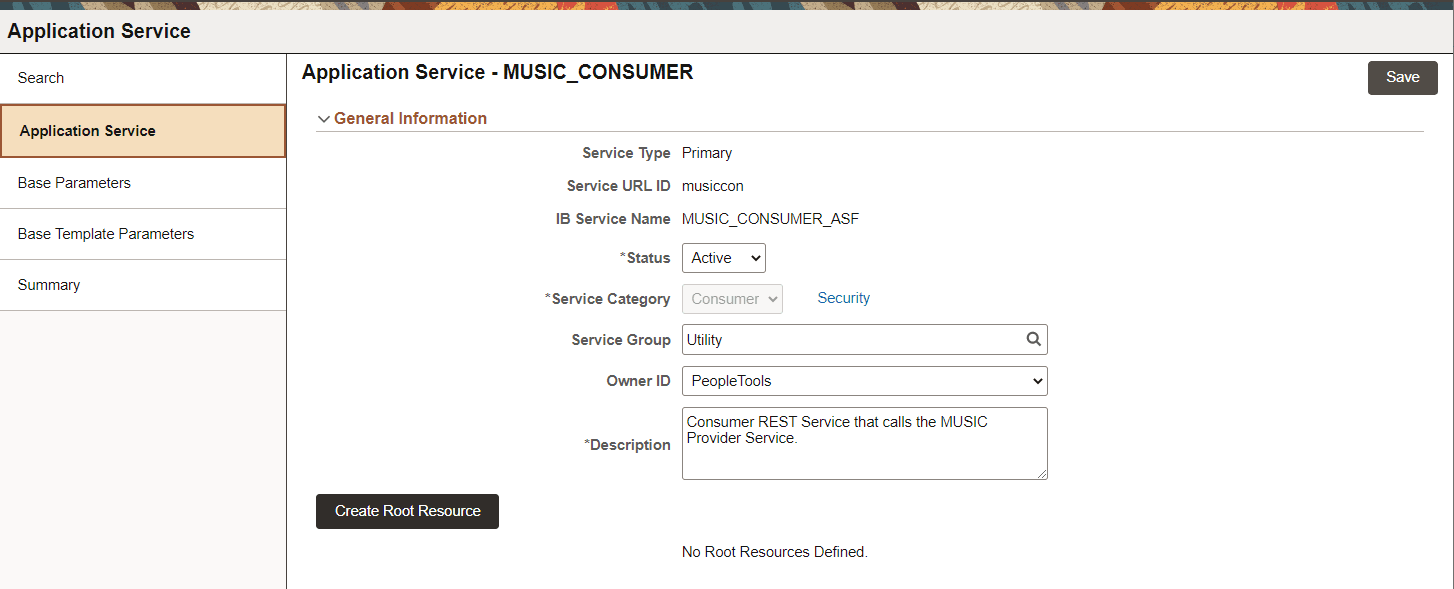
This example illustrates the fields and controls on the Application Service page for Consumer Application Service after Save. You can find definitions for the fields and controls later on this page.
| Field or Control | Description |
|---|---|
|
Security |
Select this link to set the Security details. |
|
Create Root Resource |
Select this button to create a new root resource. |