Defining Routing Properties
This section provides an overview of routing properties and discusses how to add them in the form of name/value pairs to routing definitions.
Understanding Routing Properties
Routing properties are user-defined name/value pairs that denote data contained in transformations defined for a routing definition.
Once they know the name/value pairs in a transformation, developers can extract the data from transformations using application classes. Developers might use the name/value pairs data to add to XML, perform SELECT actions in tables, and so on.
Defining Routing Property Name/Value Pairs
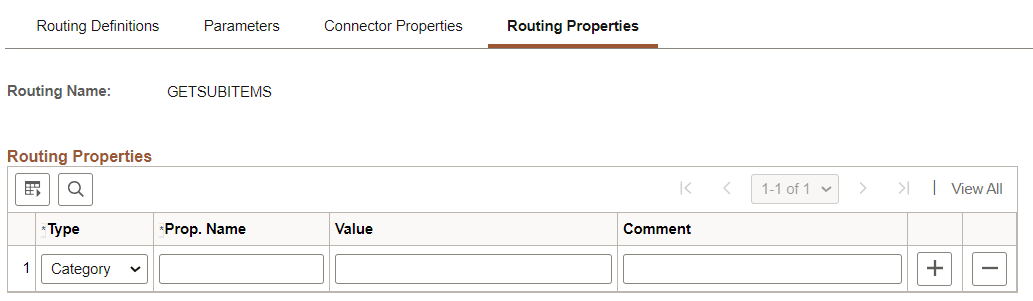
Use the Routings-Routing Properties page (IB_ROUTINGDEFNPROP) to add routing properties to a routing definition. To access the page select and click the Routing Properties tab.
This example illustrates the Routing Properties page.
To add routing property name/value pairs:
-
Access the Routings-Routing Properties page ( and click the Routing Properties tab).
-
From the Type drop-down list box, select a property type. The options are:
-
Category.
-
Ident.
-
Search.
-
-
In the Prop. Name field, enter a name for the property.
-
(Optional.) In the Value field, enter a value for the property.
-
(Optional.) In the Comment field, enter a comment or description for the name/value pair.
-
Click the Add a Row button (+) to add additional rows and property name/value pairs.
-
Click the Save button.