Defining and Overriding Gateway and Connector Properties
The Routings-Connector Properties page (IB_ROUTINGDEFCON) enables you to define and override the default integration gateway and target connector that the local node uses to communicate with an endpoint for a specific routing definition.
To access the Routings – Connector Properties page select and click the Connector Properties tab.
Note:
The Routings – Connector Properties page displays in the Routings component only if the receiving node is not the local node.
This example illustrates the fields and controls on the Routings – Connector Properties page. You can find definitions for the fields and controls later on this page.
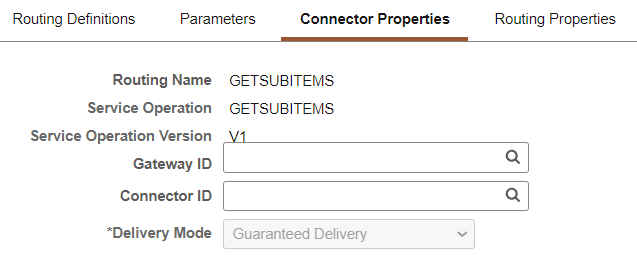
After you select an integration gateway and target connector with which to work, the system displays the required properties for the connector that you can set and override. To set or override additional properties add them to the properties list with the desired values.
This example illustrates the Routings – Connector Properties page. The example shows the properties for the HTTP target connector.
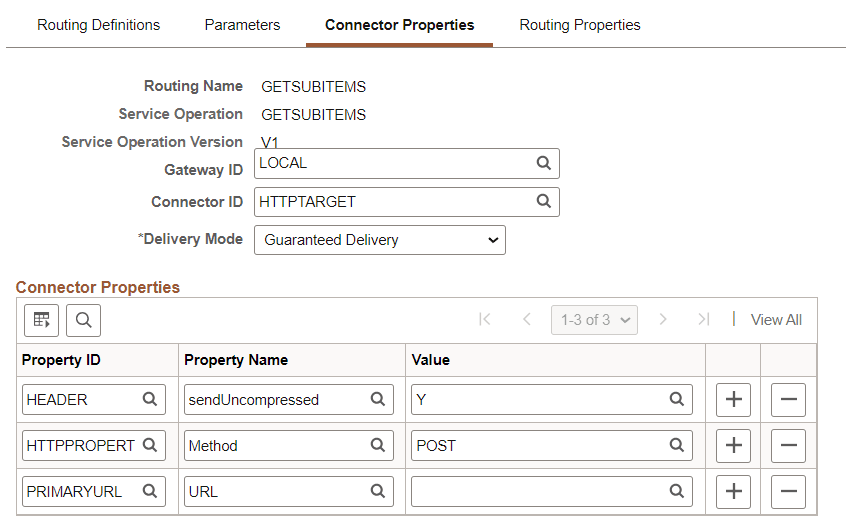
The Routings-Connector Properties tab features the following controls:
| Field or Control | Description |
|---|---|
|
Gateway ID |
Click the Lookup button to select an integration gateway. |
|
Connector ID |
Click the Lookup button to select a target connector that resides on the gateway entered in the Gateway ID field. After you select a target connector, its required properties appear. |
|
Delivery Mode |
Select one of the following options:
These options are discussed in detail elsewhere in the product documentation. See Integration Broker Administration: Setting Target Connector Delivery Modes. |
|
Save |
Click the Save button to save your changes. |
Overriding Default Integration Gateways
To override the default integration gateway, use the Gateway ID field Lookup button to select a gateway. You must also select a target connector on the new gateway to use and define properties for that connector.
Overriding Default Target Connectors
To override the default target connector on the default integration gateway, use the Gateway ID field Lookup to select the default gateway. Use the Gateway ID field Lookup to select a different target connector that resides on the gateway and then define properties for the new connector.
For REST-based services the connector ID default to HTTPTARGET and cannot be changed.
Overriding Default Connector Properties
To override the default target properties for the default target connector, use the Gateway ID field Lookup button to select the default gateway. Use the Connector ID field Lookup to select the default target connector and then adjust the gateway properties as appropriate.
HTTP header properties, those with the property ID of HEADER, are the only properties you can add for routings for outbound REST-based service operations.