Including Fields in CData Sections in Generated XML
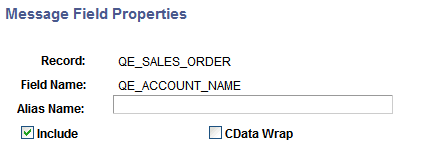
You can specify that fields be included in CData sections in generated XML. When you select the CData Wrap check box on the Message Field Properties page, the field will be wrapped in a CData section in generated XML.
This example illustrates the Message Field Properties page
To include a field in a CData section in generated XML:
-
Access the Message Field Properties page.
-
Select . The Messages-Message Definitions page appears.
-
Click the Expand button (+) to expand the record tree structure, and locate the field to exclude from the definition.
-
Click the name of the field for which to specify a field name alias.
The Message Field Properties page appears.
-
-
Select the CData Wrap check box.
-
Click the OK button.
The Messages–Message Definitions page appears.
-
Click the Save button.