Inserting Child and Peer Records
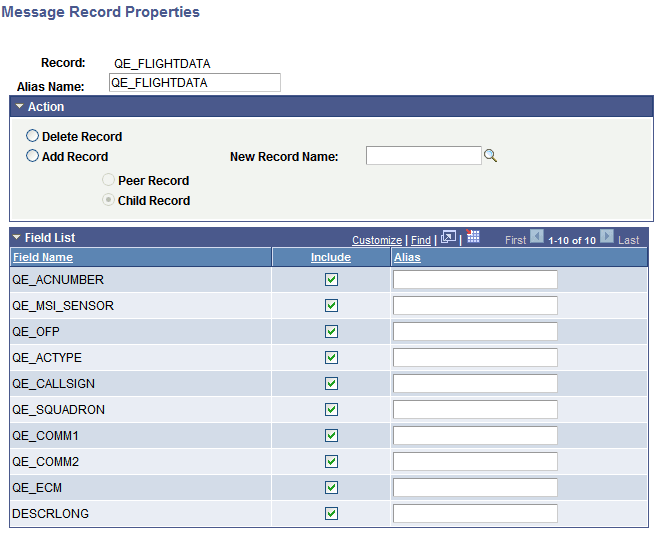
You insert child and peer records into a rowset-based message definition using the Message Record Properties page (IB_MESSAGE_REC_SEC).
This example illustrates the Message Record Properties page.
To insert a child or peer record into a rowset-based message definition:
-
Access the Message Record Properties page.
(Select . The Messages-Message Definitions page appears. Click the linked record name to which to add a peer or child record.)
-
In the Action group box, select Add Record.
-
In the New Record Name field, enter the name of the record to add, or click the Lookup button to search for and select a name.
-
Select whether to add the record as a peer record or a child record.
-
Select Peer Record to add the record as a peer.
-
Select Child Record to add the record as a child.
-
-
Click the OK button.
The Messages-Message Definitions page appears.
-
Click the Save button.