Searching for Message Definitions
To search for an existing message definition in the system use the Messages - Search page (IB_MSGSEARCH). To access the page select
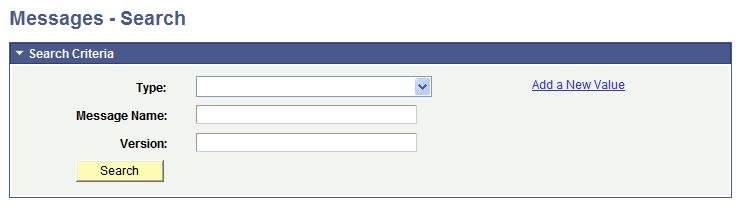
This example illustrates the Messages – Search page.
To search for a message definition:
-
Access the Messages - Search page ().
-
Search for a message definition.
You can search for message definition in one of two ways:
-
Enter search criteria in one or more of the following fields, and then click the Search button:
Field or Control Description Type
From the drop-down list, select the type of message for which you are searching. The options are:
-
Container.
-
Document.
-
Nonrowset.
-
Part nonrowset.
-
Part rowset.
-
Rowset.
Message Name
Enter the name of the message.
Version
Enter the version of the message.
-
-
Click the Search button to display all message definitions in the system.
The results appear in the Search Results grid.
-
-
Click the name of the message to view.