Searching for Webhooks
Use the Webhook Search page to view the existing webhook integrations.
Select .
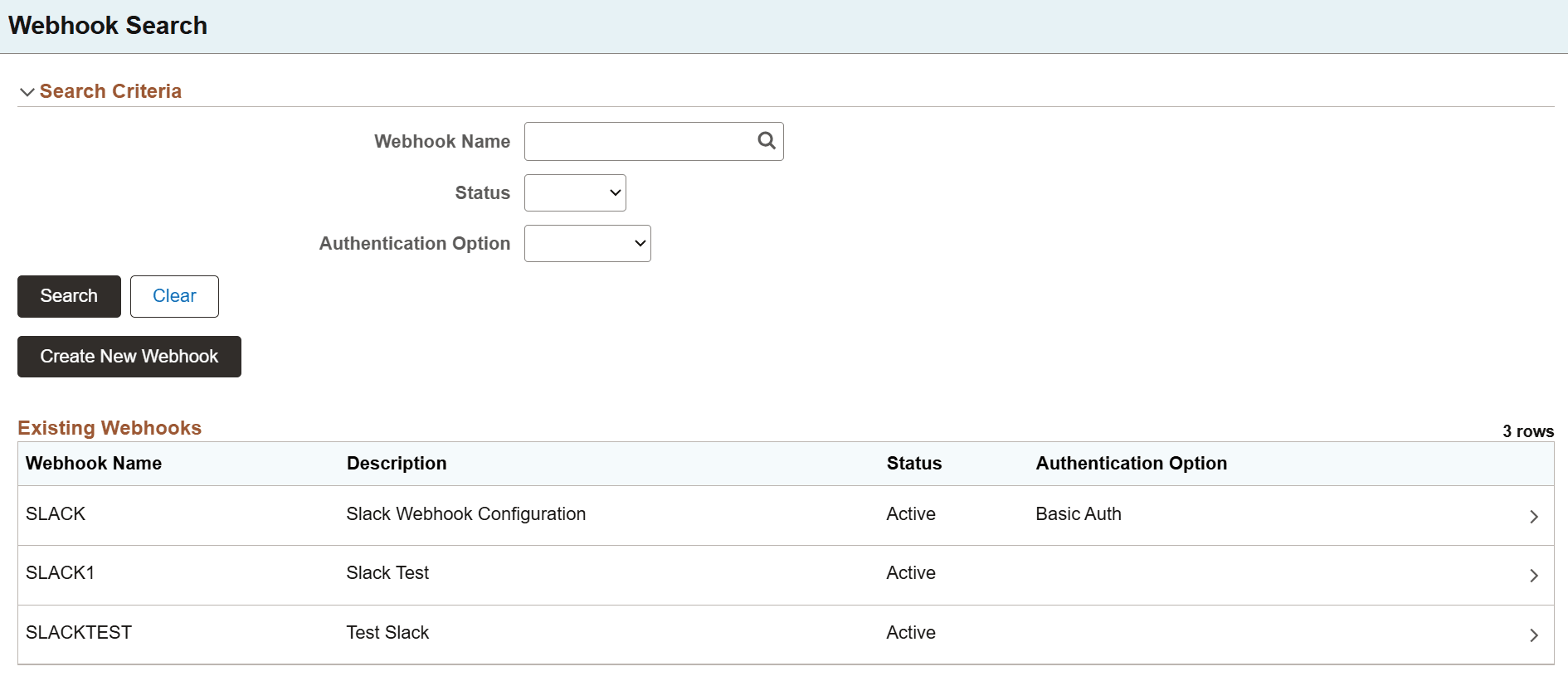
This example illustrates the fields and controls on the Webhook Search page. You can find definitions for the fields and controls later on this page.
| Field or Control | Description |
|---|---|
|
Webhook Name |
Specify the webhook name. |
|
Status |
Select the status of the webhook to include in the search results. Valid values are:
|
|
Authentication Option |
Select an authentication option to display webhooks that use the selected authentication method. Valid values are:
See Integration Broker Administration: Validating Security on Inbound Integrations. |
|
Create New Webhook |
Select to open the Webhook Definition page and create a new webhook. See Defining Webhooks. |
You can search for webhooks using the Webhook Name, Status, or Authentication Option, or all of these values. Permission to view webhooks is based on standard component/page security.
Click on the corresponding row to open the Webhook Definition page for an existing webhook. You can view or edit the existing webhook from this page.