Selecting Data in the Message Schema Builder
When you access the Message Schema Builder component (IB_SCHEMABUILD) the Schema Builder page (IB_SCHEMABUILD) displays a search engine to use to search for messages and message schema data with which to work and view.
To access the Schema Builder page, select
This example illustrates the fields and controls on the Schema Builder page. You can find definitions for the fields and controls later on this page.
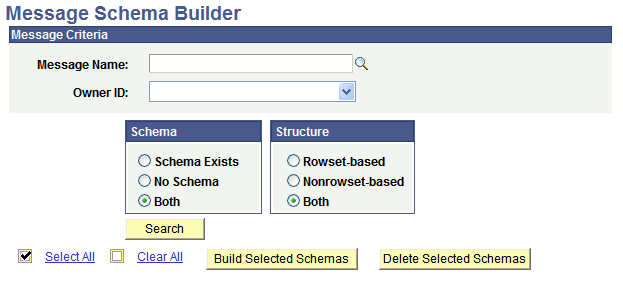
The Schema Builder page provides the following options for searching for data with which to work and view in the application database.
| Field or Control | Description |
|---|---|
|
Message Name |
(Optional.) Click the Lookup button to locate a message definition with which to work. If you do not select a message name, the search will be based on all message definitions in the application database. |
|
Owner ID |
(Optional.) From the Owner ID drop-down list, select the owner ID for the message definition. The owner ID helps to determine the application team that last made a change to a message definition. The values in the drop-down list box are translate table values that you can define in the OBJECTOWNERID field record. |
|
Schema |
Select from the following options in the Schema group box:
|
|
Structure |
Select from the following options in the Structure group box:
|
|
Search |
Click the button to search the database based on the criteria selected. |