Viewing Message Schema Details
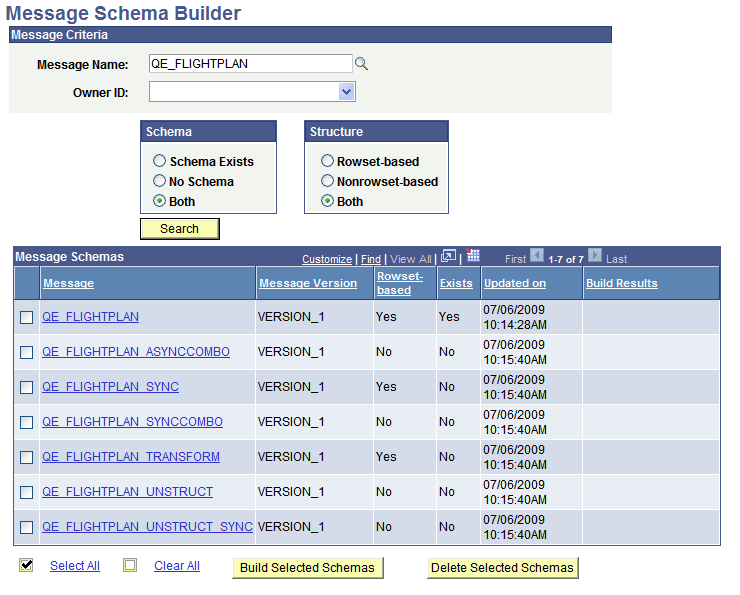
When you search for data in the Schema Builder, message detail results appear in the Message Schemas grid.
This example illustrates the Message Schema Builder page. The example shows search results appearing in the Message Schemas grid at the bottom of the page.
| Field or Control | Description |
|---|---|
|
Message |
Message name returned from the search of the application database. |
|
Message Version |
Version of the message returned from the search of the application database. |
|
Rowset-based |
Indicates the structure of the message. The valid values are:
|
|
Exists |
Indicates whether a schema has been built for the message. The valid values are:
|
|
Updated On |
Timestamp of the last update of the record. A new timestamp displays when a schema is generated or deleted for a message. |
|
Build Results |
Displays the results of actions performed on a schema. |
|
Build Selected Schemas |
Click the button to build schemas for the selected messages. |
|
Delete Selected Schemas |
Click the button to delete schemas that exist for the selected messages. |