Step 5: View the WSDL Generation Log
Use the Confirm Results page (IB_WSDLEXP_RSLTS) to view the WSDL Generation Log:
This example illustrates the Confirm Results page for a non-REST service.
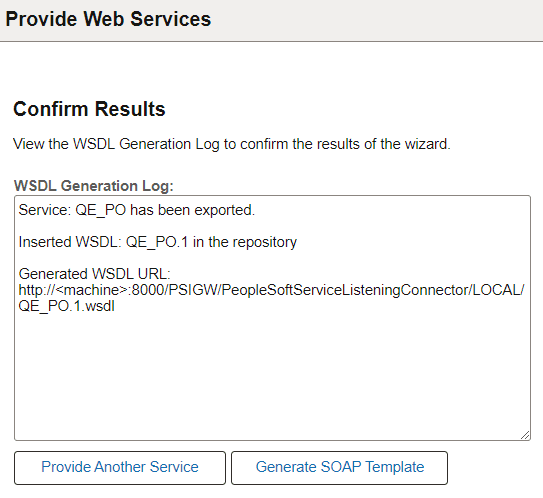
The WSDL Generation Log provides the name of the services and URL for each WSDL document generated.
You can cut and paste the URL into a browser to access the document. You can also access the document using the WSDL repository.
To provide another service, click the Provide Another Service button and return to step 1 of the wizard.
When providing non-REST service operations, a Generate SOAP Template link appears on the page. Click the link to access the Generate SOAP utility to generate SOAP message templates for request messages, response messages and fault messages found in the WSDL document. You can then use the templates to test SOAP messages in the Handler Tester, Transformation Test Tool and Send Master utilities.