Printing the Report
Printing the Comparison Report
This example illustrates the fields and controls on the Print preview comparison report.
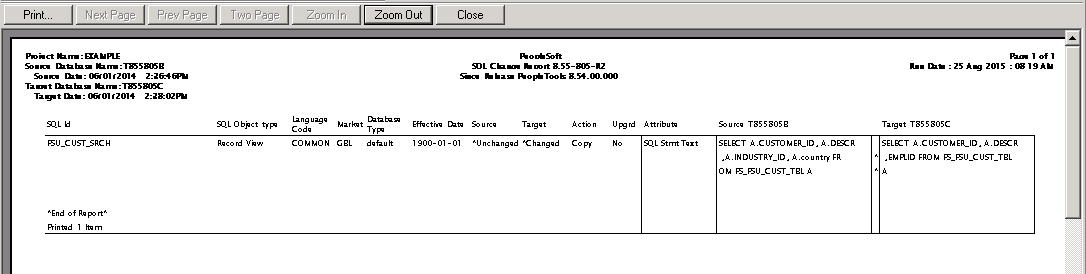
To print the comparison report select The standard Print dialog box appears, enabling you to select the printer, number of copies, and so on.
Printing a Comparison Report From a File
To print a comparison report from a file:
-
To print a saved comparison report, select
-
Select Print Preview, Print, or View Report.
These options require that you specify the report name and its location in a standard Open dialog box. View Reportdisplays the specified report in the project workspace.
Moving Print Files
You might want to move the comparison report files to another directory or send them as email attachments. Each comparison report file is saved as two files with the following format:
-
Upg<number>DefinitionType.prt
-
Upg<number>DefinitionType.idx
Both files (filename.prt and filename.idx) are required to view or print the report.