Searching For and Creating Data Sets
Use the Data Set Designer search page to search for, add, or delete a data set.
Navigation:
This example illustrates the fields and controls on the Data Set Search page. You can find definitions for the fields and controls later on this page.
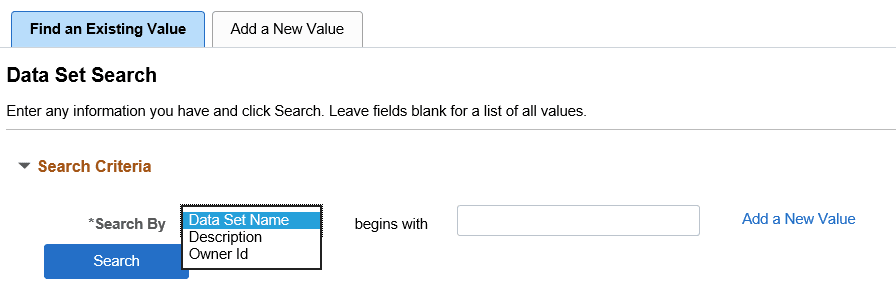
The Data Set Search page has two tabs: Find an Existing Value, and Add a New Value.
Search
Search is the default action for Data Set Designer. Users can search for existing data sets and open an existing data set for modification. Users can also delete one or more data sets from the search result set.
You can search for an existing data set using:
-
Data Set Name
-
Description
-
Owner ID
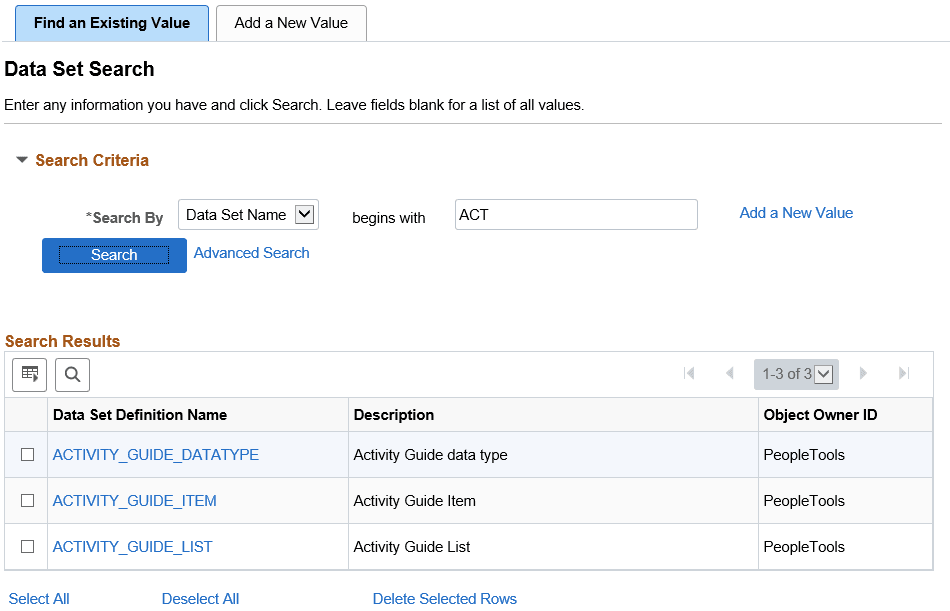
Basic and advanced search is provided so users can search based on one or multiple search keys. The search result produces a grid. Users can select one or multiple data sets in the grid to delete. Users can open the data set for modification using the link for the data set name.
This example illustrates the fields and controls on the Data Set Designer Search page.
Create New Data Set
Select the Add a New Value tab or link to create a new data set.
Enter a Data Set Name and a description for the new data set. Data Set Name and Description are mandatory fields. When you click the Add button, the identity page is displayed.