Viewing ADS-MO Unified Compare Review
On the target database, the ADS-MO Unified Compare Review grid displays all the object types in the project. Statistics are displayed for each object type in the unified project indicating the count based on object type:
-
Non-comparable objects, such as Access Groups, Trees, Cube Definitions and so forth will display a summary count for Add, Delete, Change, Same and Messages as 0 since no compare report exists for these objects.
-
Managed Objects, such as Activities, Records, Fields, Components and so forth will display the count for Add, Delete, Change and Same. No messages are displayed for Managed Objects.
-
Data Set Definitions, such as PIVOTGRID_DEFINITION, ACTIVITY_GUIDE_ITEM, RCF_SERVICES, and so forth will display the count for Add, Delete, Change, Same and Messages.
By clicking on one of the hyperlinks displayed in the grid, you can drill in to view the object instances in the project for each object type.
Navigation:
The review name is the same as the name of the change package by default. User does have the option of providing a different report name by changing the options in step Defining the Managed Object Compare Review before running that step in the template.
This example illustrates the fields and controls on the Compare Review Workbench page. You can find definitions for the fields and controls later on this page.
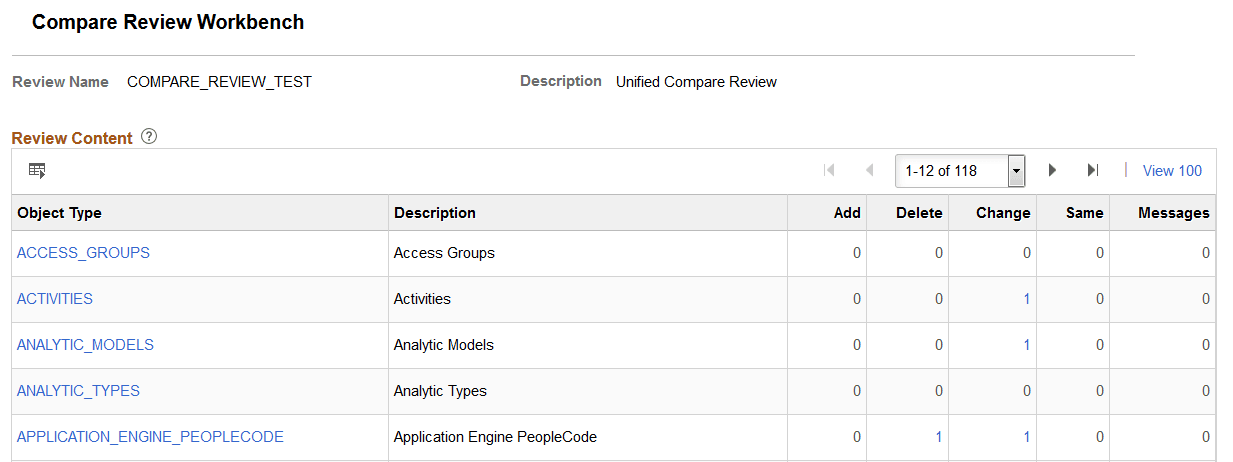
| Field or Control | Description |
|---|---|
|
Object Type |
Each object type is displayed as a hyperlink. When you click the hyperlink, the compare report for that object type is displayed. |
|
Description |
Object description (read only) |
|
Add |
The count for additions is displayed as a hyperlink. For Managed Objects and Data Sets, Add indicates the objects are new and the action is copy. |
|
Delete |
The count for deletions is displayed as a hyperlink. For Managed Objects and Data Sets, Delete indicates the objects are to be deleted and the copy action is delete. |
|
Change |
The count for changes is displayed as a hyperlink. For Managed Objects and Data Sets, Change indicates the object contains changes and the copy action is copy. |
|
Same |
The count for same is displayed as a hyperlink.
|
|
Messages |
Messages are produced for ADS validations. For Data Set definitions, the count for messages is displayed as a hyperlink. Since no validation is performed on Managed Objects, the count will always be 0 (zero) for Managed Objects. |