Viewing the Managed Objects Content
To view the Managed Object Content, click the link for the Managed Object on the Compare Review Workbench page.
This example illustrates the fields and controls on the Example Content page for Components. You can find definitions for the fields and controls later on this page.
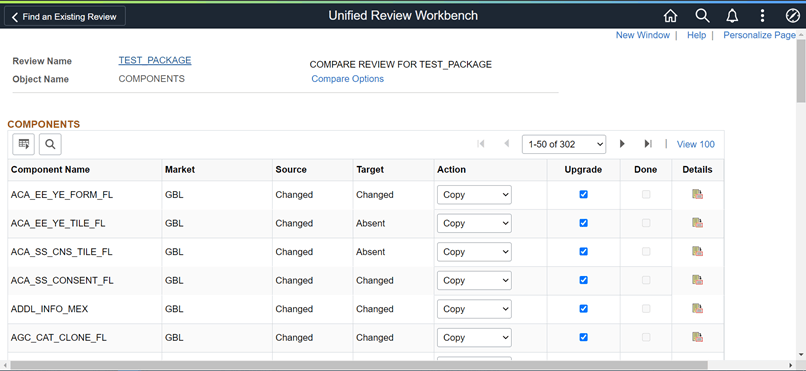
The grid is similar to the upgrade view in Application Designer. You can change the Action and Upgrade columns for each row. Use the Details link to display the details.
Click Compare Options link to view the compare options.
This example illustrates the fields and controls on the Example of Compare Options for Managed Objects.
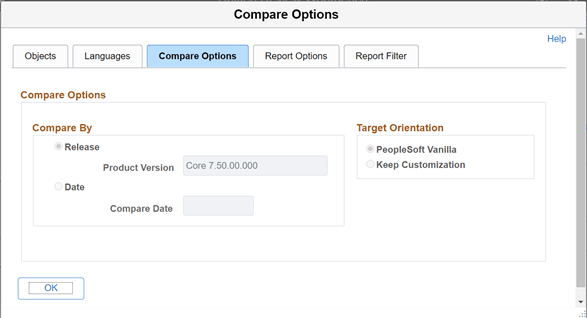
For more information on Managed Object compare reports, see Working with Definition Status
Example Component Compare Report Details
This is an example of the details in a component compare report.
This example illustrates the fields and controls on an example Unified Compare Report. This is similar to the report in Application Designer.
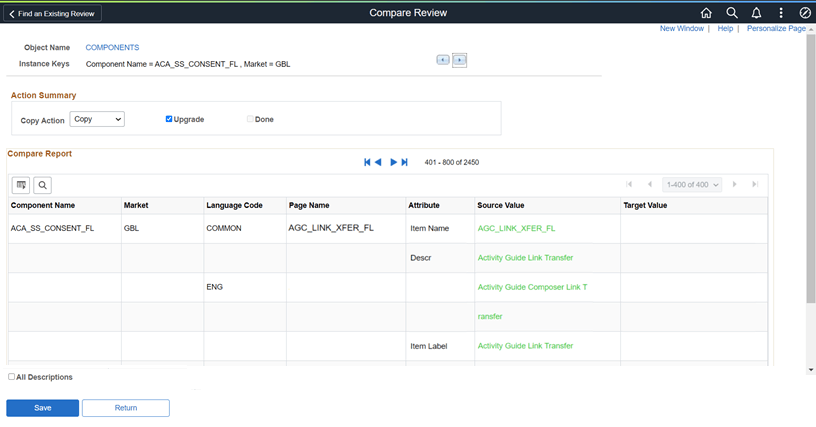
Use the First, Next, Previous and Last buttons on the page to navigate between pages in the compare report containing multiple pages.
Clear the All Descriptions check box to hide all duplicate column values. If you select the All Descriptions check box, values of all the columns are shown even if the values are same for all the rows.
PeopleCode Object Compare Report
When you select to view the details for PeopleCode, the unified report provides additional buttons at the top of the page to assist in viewing the PeopleCode differences.
This example illustrates the fields and controls on the Unified PeopleCode Report. In this example First Difference was selected and the first difference is highlighted.
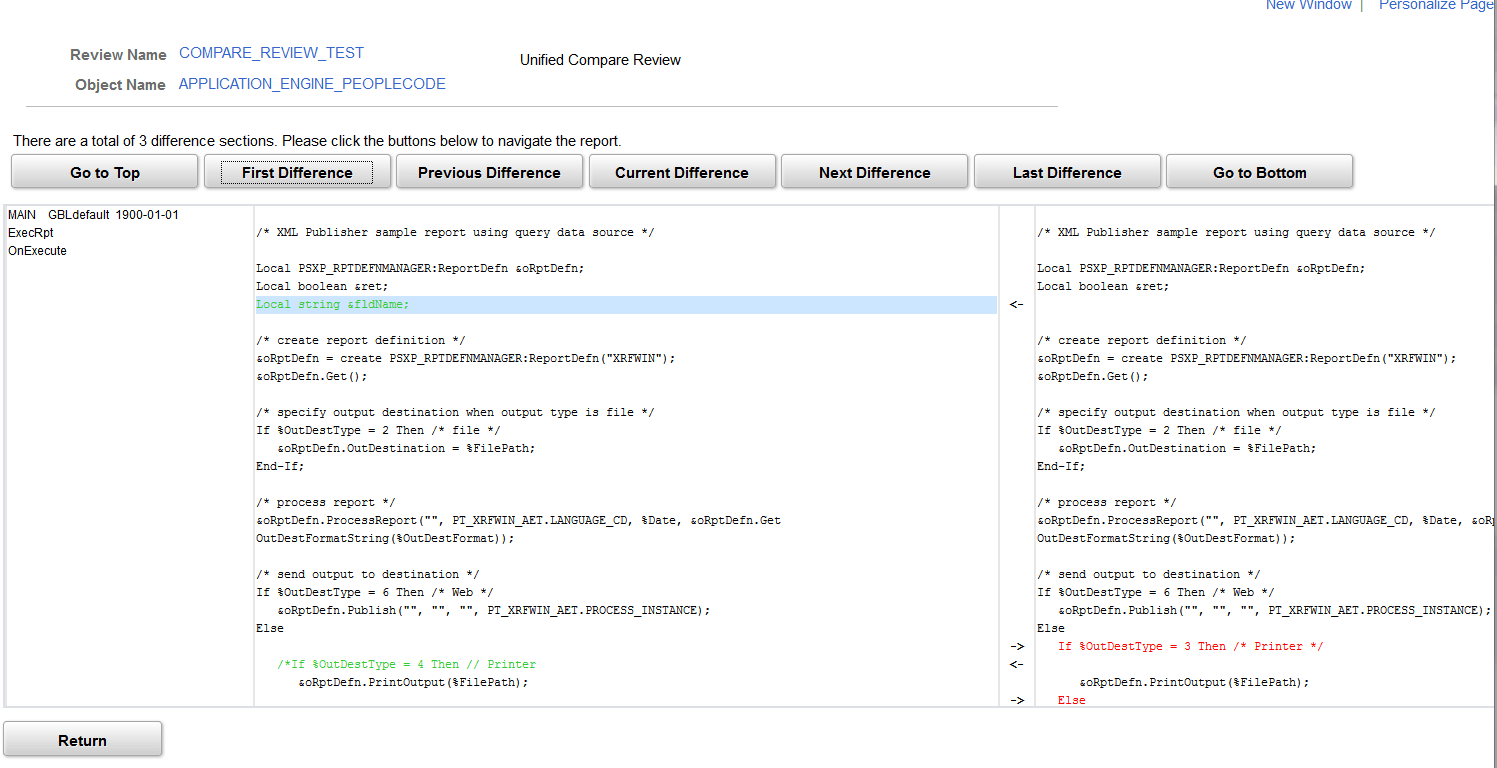
Click the buttons at the top of the page to navigate to the differences in the PeopleCode.