Entering the Presence State
Access the Presence page using the following navigation path:
.
Search for the user id. The CTI Agent Configuration page displays. Select the Presence tab.
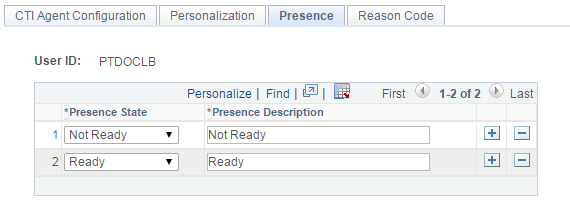
This example illustrates the fields and controls of the Presence page where you can uodate the presence status.
| Field or Control | Description |
|---|---|
|
Presence State |
Select from Not Ready and Ready. |
|
Presence Description |
Enter a description for the state. |