Personalizing an Agent's Presence
Access the Personalize Presence page using the following navigation path:
This example illustrates the fields and controls on the Personalize Presence page. You can find definitions for the fields and controls later on this page.
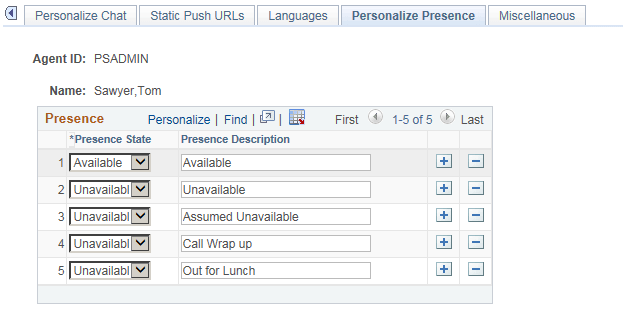
Each agent can configure the presence description that is displayed when the agent is available or unavailable. The queue server understands only the presence state, available or unavailable, but you can specify more specific presence descriptions when displaying or logging an agent's presence. For example, Lunch, Meeting, or Indisposed are unavailable states that can be used for tracking agent time and activity.
If you do not specify presence descriptions, default values are used.
| Field or Control | Description |
|---|---|
|
Presence State |
Select Available or Unavailable. |
|
Presence Description |
Enter a description for each agent state. The description appears in logs of agent activity and when agent presence is displayed. Note: The Available state has only one description. For the Unavailable state, you can enter any presence description, such as tea break, coffee break, lunch, and so on. |