Setting Up Buddy Lists
Access the Buddy List page using the following navigation path:
This example illustrates the fields and controls on the Buddy List page. You can find definitions for the fields and controls later on this page.
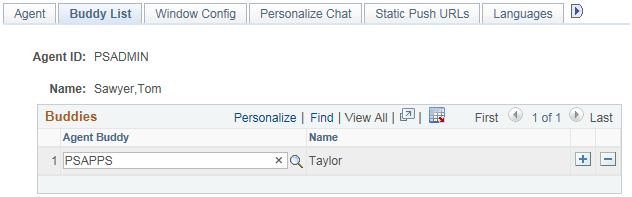
The agent's buddy list facilitates collaborative chat and chat conferencing.
| Field or Control | Description |
|---|---|
|
Agent Buddy |
Select another agent with whom this agent can have a chat session or can ask to conference into another chat. Each agent buddy must be logged in a physical queue on the same cluster to be able to chat. If two agents must be able to chat but they do not share a cluster, use the Physical Queue Move Agent page to move the agents into physical queues on the same MCF cluster. Agent buddies are listed with their login status in the buddy list on the multichannel console. |
|
Name |
Displays the buddy agent's nickname. |
An agent's presence, as shown in the buddy list on the MultiChannel Console or on the Invite Agent list on the chat console, indicates the agent's availability for chat or conference.